 Scribba
The first thing medical school changes is the volume. You may have several hours of lecture a day, each with a long slide deck, and the material doesn't wait for you to finish the last block before the next one starts. The note-taking habits that worked in undergrad, like rewriting everything neatly or making a full outline of each lecture, usually can't keep up.
So the question in med school isn't how to take complete notes. It's how to spend as little time as possible capturing information and as much as possible retrieving it. Here's how to set up your iPad for that.
Decide what your notes are for
Before your first block, decide what job your notes do. For most med students, it's one of these:
- Annotated slides. The slides are already the notes. You add what the lecturer said that isn't on them, circle what was emphasized, and cross out what was skipped.
- Summary pages. One page per lecture or topic, written after you've gone through the material, in your own words. These are what you reread before an exam.
- Cards. Many students treat flashcards as their real notes, and everything else as a way to make good cards.
Most people end up with a mix: annotated slides during lecture, a short summary afterwards, and cards from both. What matters is not making the same notes three times. If a fact is on a card and on an annotated slide, you don't need it in a summary too.
Write on the slides, not beside them
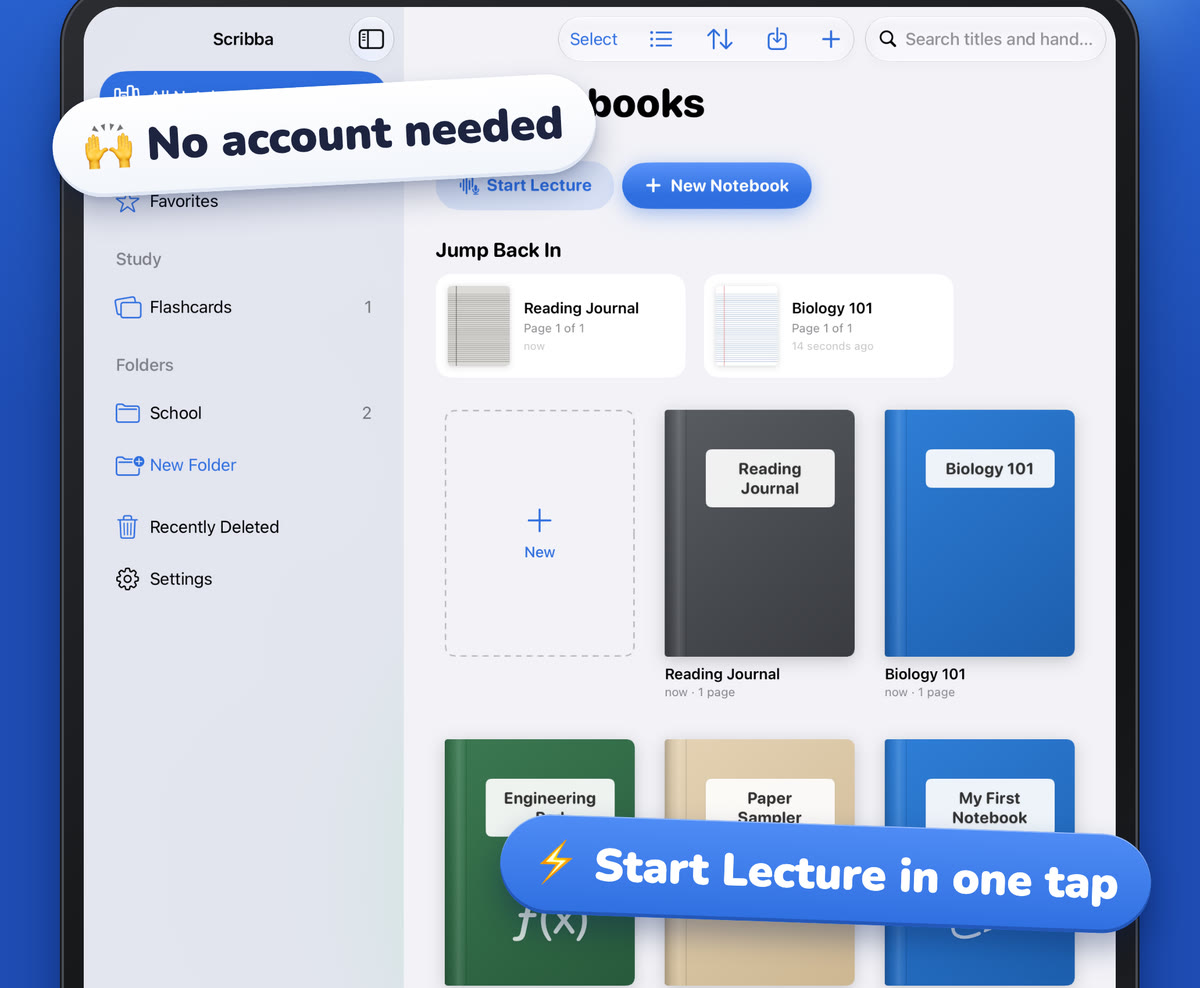
If your school posts slide decks, import them before lecture. In Scribba, you can import a PDF as a new notebook or into the current one, then write directly on the slides with your Apple Pencil. The slide text is searchable along with your handwriting. See how to annotate lecture slides on iPad.
A few annotation habits that save time later:
- Mark emphasis. A star next to anything the lecturer said is important, or "this will be on the exam."
- Write the why. Slides list facts. Lecturers explain mechanisms. The mechanism is what you write down.
- Flag cards as you go. A small symbol in the margin for "make a card from this" means you don't have to reread the whole deck later to find card material.
Organize notebooks by block or course, inside a folder for each year. Named bookmarks in the page sidebar turn into a table of contents, and Scribba keeps up to six notebooks open as tabs, so the current lecture, your block summary and an earlier block are each one tap apart.
Use lecture recordings carefully
Many schools record lectures, and plenty of med students watch them at higher speed instead of attending. That can work well, but recordings are also easy to binge passively. A few habits help:
- Watch with a task. Annotate the slides as you watch, and pause to write anything you'd want on a card.
- Speed up the easy parts, slow down the hard ones. Change speed by section, not for the whole lecture.
- Don't fall behind. Recordings make it tempting to save lectures for later. A backlog of recorded lectures before an exam is a common trap.
Recording in Scribba
If you attend in person and recording is allowed, you can record in Scribba while you write. Every stroke is linked to that moment, so later you can tap a half-written note and hear exactly what was said. Playback has adjustable speed, 15-second skips and markers on the timeline showing where you were writing. Scribba transcribes each recording, so you can search what was said from the library. Note that Scribba doesn't add audio to imported files, so the school's own video recordings stay in whatever player your school uses; you can open that player beside Scribba and annotate your slides as you watch.
Start Lecture adds a dated, bookmarked page to the right notebook and starts recording in one tap, which keeps a long run of lectures in order. For more on reviewing recordings without losing hours to them, see studying from lecture recordings.
Recordings take space. If you sync with iCloud, Settings › iCloud has an option to leave recordings out, and iPad storage for lecture recordings has more ideas.
Make spaced repetition a daily habit
With this much material, the main danger isn't failing to learn something. It's forgetting what you learned six weeks ago. That's why spaced repetition is so common in medical school: you review each fact just as you're about to forget it, and the gaps grow as it sticks. It's well established that spaced practice and self-testing beat rereading for long-term memory.
Two rules make it work:
- Do your reviews every day, including weekends. Skipping a few days makes the pile grow fast.
- Make cards the same day as the lecture, while the context is fresh. Cards made in a rush before an exam are worse cards, and there's no time to space them.
Keep cards small: one fact per card, phrased so there's only one right answer.
Flashcards in Scribba
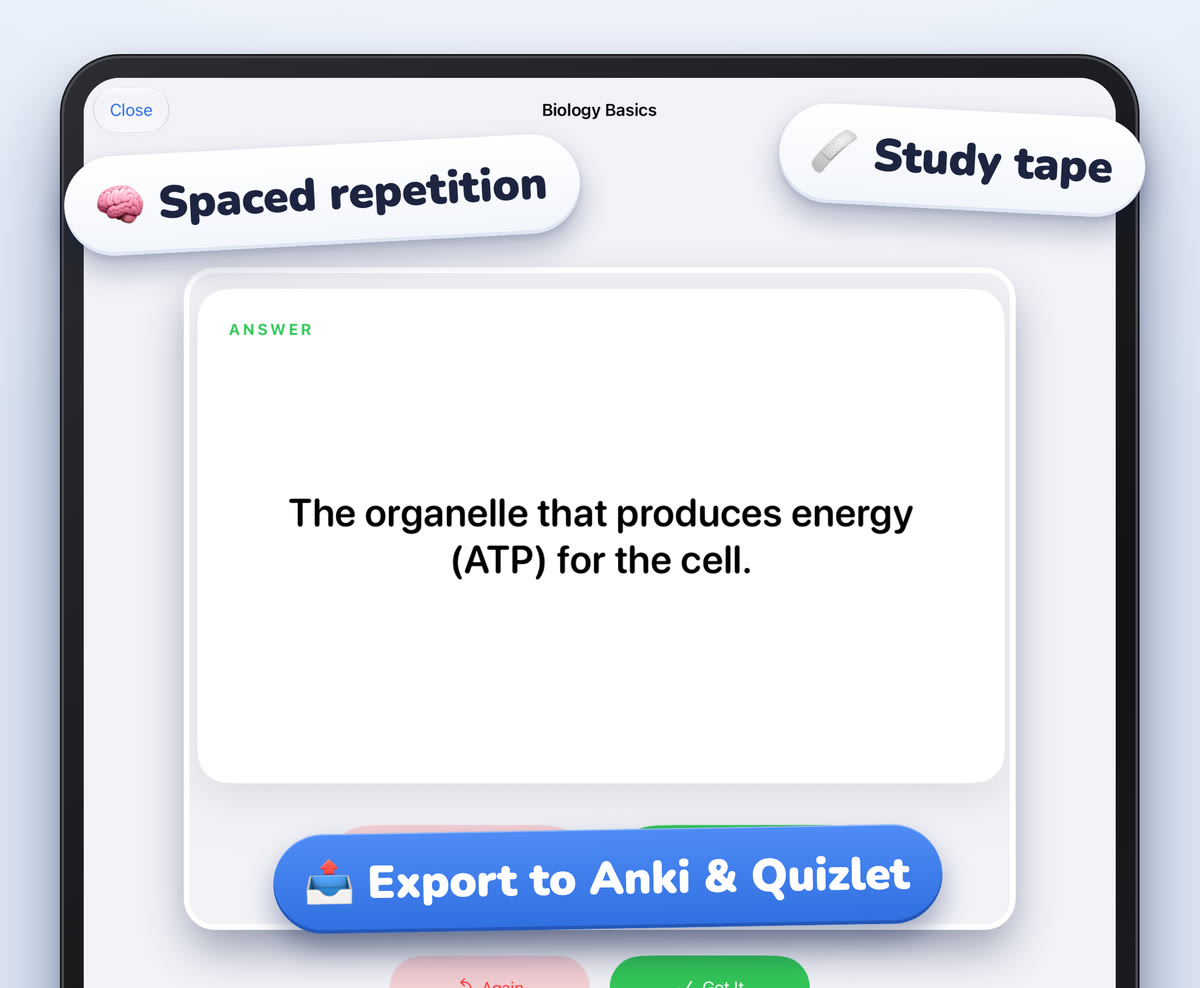
Scribba makes cards several ways. A Vocabulary page turns each handwritten row into a card, and a Cornell Notes page turns each cue into one; review any misread words first, which matters for long medical terms. You can also make a deck by hand and type the front and back. On an iPad that supports Apple Intelligence, with it turned on, Scribba can make flashcards from a lecture transcript or any page of notes.
Scribba decks use spaced repetition, with cards coming back after 1, 3, 7, 14 and 30 days, and you can study every due card at once. If Anki is already the center of your daily reviews, export Scribba decks to Anki so everything lives in one queue. See exporting flashcards to Quizlet or Anki.
Check your coverage before an exam
Before a block exam, the useful question is: what have I not reviewed yet? Go through each lecture's title and ask whether you could explain its main ideas without notes. Anything you can't is where your next study session goes.
On iPads with Apple Intelligence turned on, Scribba writes the key points of each transcribed lecture. What Did I Miss? lists what the lecture covered that your notes left out, and Study Guide collects the key points of every lecture in a notebook on one sheet, split at each Start Lecture page. That sheet makes a quick checklist for a block. All of it runs on the iPad itself.
Tip: use the focus timer to run your daily reviews in fixed blocks. A set time limit keeps card reviews from expanding to fill the whole evening.
A note on patient information
When you reach clinical rotations, keep personal notes to general learning. Never put patient information in personal notes, and follow your school's and hospital's rules.
Frequently asked questions
Is handwriting worth it in medical school?
For annotating slides, drawing pathways and working through mechanisms, many students find handwriting faster and more memorable. For pure fact capture, cards are often the better use of time. Use each where it fits.
Can I export my Scribba flashcards to Anki?
Yes. Scribba exports flashcard decks to Anki or Quizlet, so cards made from your notes can join the reviews you already do.
Can Scribba sync audio with my school's lecture videos?
No. Scribba links your notes to recordings you make in Scribba. It doesn't add audio to imported files, so watch school videos in their own player and annotate your slides alongside.