 Scribba
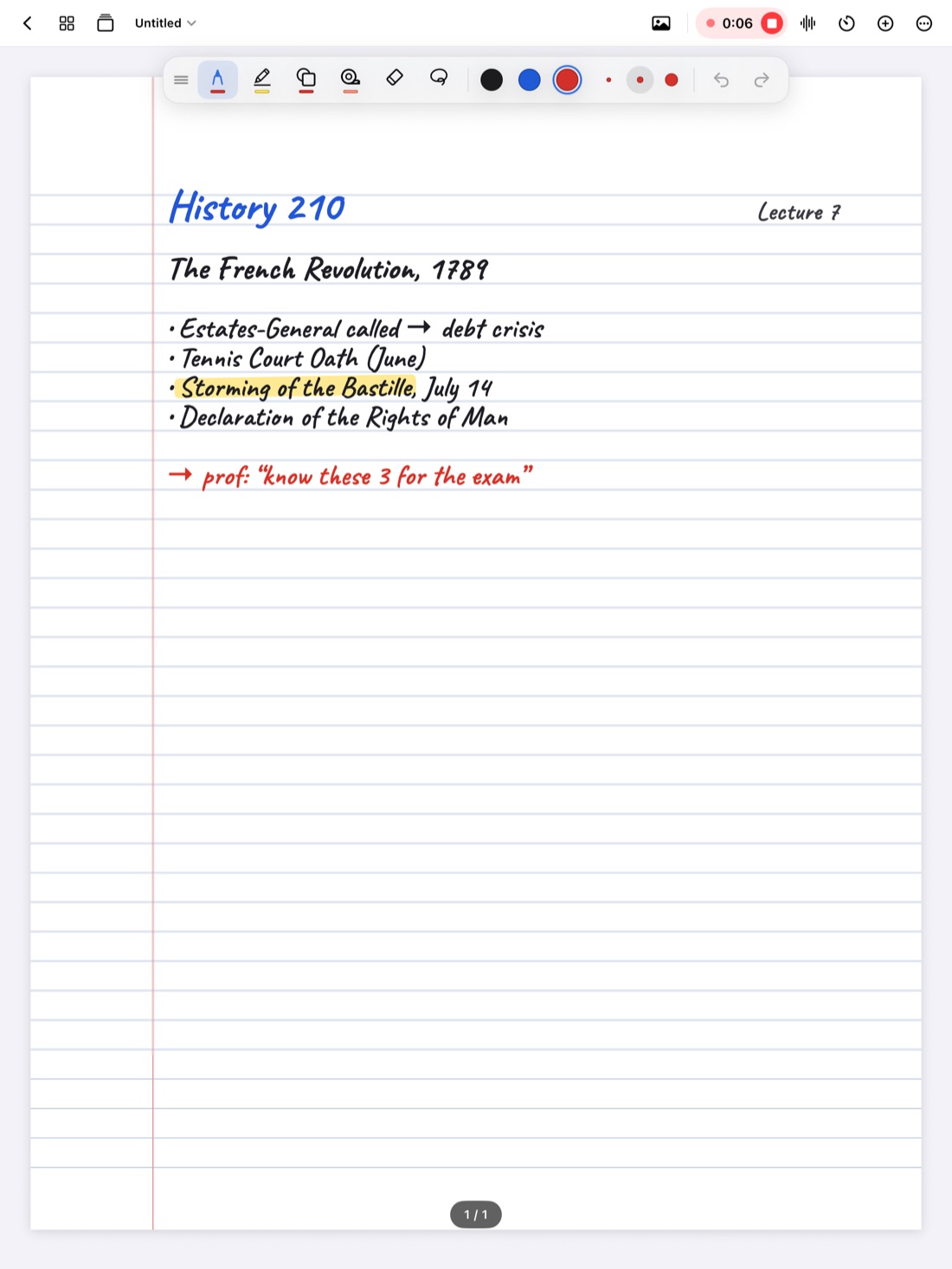
You recorded every lecture this semester. That's a lot of hours of audio, and the exam is next week. Replaying it all would take as long as attending the class again, and most of it would wash over you.
A recording is most useful as something you search, not something you sit through. This guide covers how to find the parts of a lecture you actually need, how to listen so it sticks, and when a full replay is worth it.
Why replaying whole lectures is a trap
Listening to a full lecture again feels like studying. It's the audio version of rereading your notes: everything sounds familiar, you nod along, and an hour later you've taken in less than you think. It's also slow. Every minute of the professor setting up slides or answering a question you already understood costs you a minute of study time.
There are good reasons to replay a whole lecture, which come up below. But for exam review, the better approach is targeted: decide what you need, go straight to it, and do something with it.
Step 1: decide what you're listening for
Before you press play, go through your notes and list the moments you need to hear again:
- Gaps. Places your notes trail off, say "???", or skip a step.
- Confusing parts. Anything you can't explain now, even if you wrote it down.
- Exact wording. Definitions, the professor's framing of a key argument, or anything you want to quote in an essay.
- Exam hints. "This will be on the test," review announcements, changes to the syllabus.
A list of five or six targets turns an hour of audio into a few minutes of listening.
Tip: during class, mark the moments you'll want to come back to. A star or question mark in the margin at the moment you got lost is easy to find later.
Step 2: get to the right moment fast
There are three good ways to jump to a moment, depending on how your recording is set up:
- From your notes. If your notes are linked to the recording, tap the line you wrote at that moment.
- From a transcript. Search for a key word, then jump to where it was said.
- From timestamps. If you have nothing else, jot the time on the recording next to anything you'll want to revisit, while you're still in class.
Start a little before the moment you need. The explanation often starts before the key sentence.
Step 3: listen actively
Once you're at the right spot, make the listening count:
- Predict first. Before you play it, try to explain the idea yourself. Then listen and compare.
- Pause often. After each point, pause and put it in your own words on the page.
- Fix your notes in place. Write the missing step or corrected definition right where the gap was, in a different color, so your notes are complete next time.
- Turn it into a question. Write a question for each thing you looked up, so you can quiz yourself on it later.
The goal is to leave each listening session with better notes and new questions, not just the feeling of having heard it.
Use speed on purpose
Playback speed is a tool, not a setting you pick once.
- Speed up for parts you mostly understand and only need to skim: setup, recap, examples you followed the first time.
- Slow down or replay for the dense parts: a derivation, a fast definition, a quote you want to get exactly right.
- Skip back a few seconds when you miss a word, instead of restarting the whole section.
If you're learning in a second language, slower playback and a transcript to read along with can make a big difference. See lecture notes in English as a second language.
When a full replay is worth it
Sometimes listening to the whole thing is the right call:
- You missed the class, and the recording is your only source.
- The lecture was the hardest of the course, and your notes are thin throughout.
- You have an accommodation that relies on recordings.
Even then, take notes while you listen, the way you would in class, and pause to recall what you just heard. If you missed class, our guide to catching up after missing class covers the rest of the catch-up.
Studying from recordings in Scribba
Scribba is an iPad notebook for class, and its recordings are built to be searched rather than replayed. Every stroke you write is linked to the moment in the recording when you wrote it. Our guide to recording lectures on iPad covers the setup.
Tap the ink. Tap any word, arrow or diagram on the page, and playback jumps to the moment you were writing it. As it plays, the ink you were writing lights up and the page follows along. This is Step 2 in one tap.
Read the timeline. Note markers on the timeline show where you were writing. Long gaps between markers are worth a look: either nothing important happened, or it was moving too fast to write.
Control playback. Adjust the speed, skip back or forward 15 seconds, or scrub to a spot.
Search what was said. Scribba transcribes each recording. Read along as it plays, tap a line to jump there, or search transcripts from the library for a term you never wrote down. More in how lecture transcripts work.
Let the lecture tell you what you missed. On iPads that support Apple Intelligence, with it turned on, each transcribed lecture gets key points, and What Did I Miss? compares them with what you wrote and lists what your notes left out, ready to add to the page. That's your target list from Step 1, drafted for you. Check it against the recording. You can also type a question to the lecture and get an answer in a sentence, with a button that plays the moment it was said. See what did I miss and asking your lecture questions.
Turn it into flashcards. Write the questions from Step 3 in a Cornell Notes cue column, and Scribba can turn each cue into a flashcard from your handwriting, no Apple Intelligence needed. With Apple Intelligence, it can also write flashcards from a lecture transcript. Read those through before you study them.
Frequently asked questions
Is listening to lecture recordings a good way to study?
Targeted listening is. Use recordings to fill gaps, check wording and answer specific questions. Replaying whole lectures passively is slow and works about as well as rereading notes.
What playback speed should I use?
Faster for parts you already understand, normal or slower for dense or confusing parts. Change it as you go rather than picking one speed for the whole lecture.
Can I study from recordings without notes?
Yes, but it's slower. A transcript you can search helps a lot. Next time, even a few words or marks during class make the recording much easier to navigate.