 Scribba
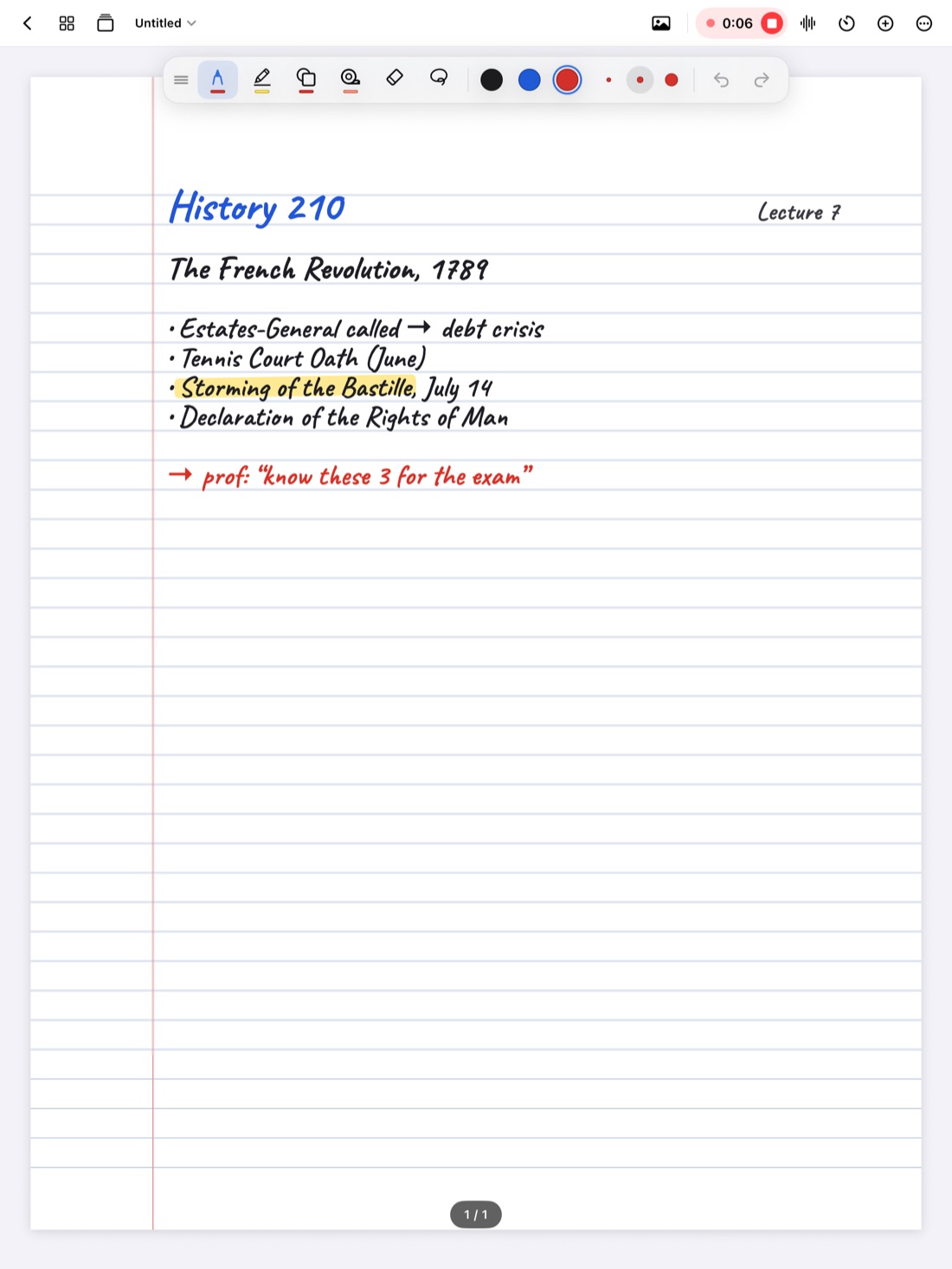
If taking notes in lectures is harder for you than for the people around you because of a disability, you may be able to get support for it. Colleges call this support accommodations: changes to how a class works so you have the same access to the material as everyone else. Note-taking is one of the most common areas they cover.
This guide explains, in general terms, what note-taking accommodations often look like, how students usually request them, and how to make the most of them once you have them. Every school runs its own process, so treat this as a starting point and get the details from your school's disability or accessibility office. It isn't legal advice.
Who note-taking accommodations are for
Students ask for note-taking support for many reasons. Some common ones:
- ADHD or other conditions that affect attention, focus or working memory.
- Learning disabilities that make writing, spelling or processing spoken language slower.
- Hearing loss or auditory processing differences.
- Low vision or blindness.
- Physical disabilities, chronic pain or injuries that make writing by hand difficult or tiring.
- Mental health conditions or chronic illnesses that affect concentration or attendance.
You don't need to fit neatly into one of these to ask. The disability office decides what's reasonable based on your situation, so if note-taking is a real barrier, it's worth a conversation.
Common note-taking accommodations
What's available varies by school and by class, but these come up often:
- Permission to record lectures. You record for your own study, often with conditions like not sharing the recording and deleting it at the end of the term.
- Copies of slides or lecture notes, sometimes before class. Having the outline in advance means you only add what the professor says, not copy every bullet.
- A peer note-taker. A classmate shares their notes with you, often anonymously. The office often arranges this.
- Captioning or transcripts, live or after class, especially for students who are deaf or hard of hearing.
- Use of a laptop or tablet in a class that otherwise bans devices.
- Extra time on exams, sometimes in a quieter room. It isn't a note-taking change, but it's often requested alongside one by students who process or write more slowly.
- Preferential seating, like a seat near the front where it's easier to hear and see the board.
How to request accommodations
The process differs between schools, but most follow a similar shape.
- Find the office. Search your school's website for "disability services," "accessibility services" or "student accessibility." The name varies.
- Make contact early. Ideally before the term starts or in the first week. Accommodations usually aren't backdated, so a request in week ten only helps from week ten.
- Gather documentation. Many offices ask for something from a doctor, psychologist or other professional describing your condition and how it affects you. Ask the office exactly what they need before booking appointments.
- Meet with a coordinator. You'll talk about what's hard for you in class. Be specific: "I can't write fast enough to keep up and I lose the thread" is more useful than "note-taking is hard."
- Get your accommodation letter. Many schools send a letter to your professors listing what you're entitled to, without sharing your diagnosis.
- Talk to your professors. Some schools expect you to follow up with each instructor. A short email or a few minutes in office hours is enough.
Accommodations often need to be renewed each term or for each new class, so check how yours work.
Tip: keep a note of exactly what your letter says, and what conditions come with it, like how long you can keep recordings. It saves confusion later.
If you're waiting or don't qualify
Formal accommodations can take a while to set up, and some students don't qualify for what they'd find helpful. You can still ask. Many professors will share slides or allow recording if you explain why and promise to keep it private. Is it OK to record lectures? has a sample message.
Make the most of what you get
An accommodation helps most when it's part of a routine.
- Slides in advance: open them before class, skim them, and write your own notes directly on them during the lecture.
- A note-taker's notes: use them to check and fill in yours, not to replace them. Writing something yourself, even a little, helps you remember it.
- Recordings: a long recording is only useful if you can find things in it. Mark the moments you miss so you know where to listen.
- Extra exam time: practice under the timing you'll have, so the extra time feels normal.
If an accommodation isn't working, tell the office. They can often adjust it.
Using an iPad with your accommodations
If you take notes on an iPad, Scribba is built around several of these accommodations.
- Recording linked to your notes. Tap the mic and write as normal. Every stroke is linked to that moment, so tapping a line you wrote plays what was said then. Recording keeps going if the screen locks. See how to record a lecture on iPad.
- Transcripts after class. Recordings of lectures in English or Spanish are transcribed, so you can read along, tap a line to jump there, and search what was said. Transcription happens after the recording, so it doesn't replace live captioning. See how lecture transcripts work.
- Adjustable playback speed with 15-second skips, so you can slow a fast explanation down.
- Slides and handouts on the page. Import PDF slides as a notebook and write on them, or scan paper handouts with the camera. See how to annotate lecture slides on iPad.
- No Apple Pencil needed. If writing by hand is difficult, turn on Settings › Draw with Finger, or add typed text boxes to a page.
Scribba also helps you keep the promises that come with a recording accommodation. Notebooks stay on your iPad and, if you turn on iCloud Sync, your private iCloud. You can lock a notebook with Face ID, Touch ID or your passcode, and leave recordings out of iCloud Sync and Auto Backup. If you agreed to delete recordings when the term ends, remember that deleted notebooks stay in Recently Deleted for 30 days, and check any backups you've saved too.
On iPads that support Apple Intelligence, with it turned on, Scribba can also write a lecture's key points and show what your notes left out, which can complement a note-taker's notes.
Frequently asked questions
Will my professors know my diagnosis?
At many schools, no. The accommodation letter usually lists what you're entitled to, not why. Ask your disability office how it works at your school.
Can I get accommodations partway through the term?
Usually yes, but they typically start from when they're approved, not from the start of term. Apply as soon as you realize you need them.
Is a peer note-taker better than recording?
They do different things. A note-taker gives you an organized summary; a recording gives you everything that was said. Some students use both.