 Scribba
Intro astronomy surprises people in two ways. First, much of the early material is about geometry you can see from your own backyard: why the Moon has phases, why the Sun rises in a different spot through the year, why stars wheel around the pole. Second, the numbers get enormous, fast. A class that starts with shadows ends with galaxies, and your notes have to handle both.
Then there's the part no other class has: going outside at night to observe. Here's how to take astronomy notes on iPad, from the first sky diagram to the last observing session.
Draw the geometry from more than one view
Most early astronomy topics are questions of where things are relative to each other: the Sun, Earth and Moon for phases and eclipses, Earth's tilt for the seasons, the celestial sphere for how the sky moves. Students who struggle usually have only one picture in their heads.
Draw each idea from two viewpoints:
- From above. Look down on the Earth and Moon from above the north pole, with sunlight coming from one side. Draw the Moon at eight points in its orbit and shade the half facing away from the Sun.
- From the ground. Then draw what someone on Earth sees at each of those points: a crescent, a quarter, gibbous, full.
Put the two drawings side by side and connect them with arrows. The same trick works for seasons (Earth's orbit from above, then the Sun's path across your sky in June and December) and for retrograde motion. Exam questions often give you one view and ask about the other.
In Scribba, hold the Apple Pencil still at the end of a stroke and it snaps into a circle, ellipse, line or arrow. That's most of a sky diagram: circles for planets, an ellipse for an orbit, arrows for sunlight and direction of motion. Switch to the Shape tool if you want every stroke to snap.
Polar paper for the sky
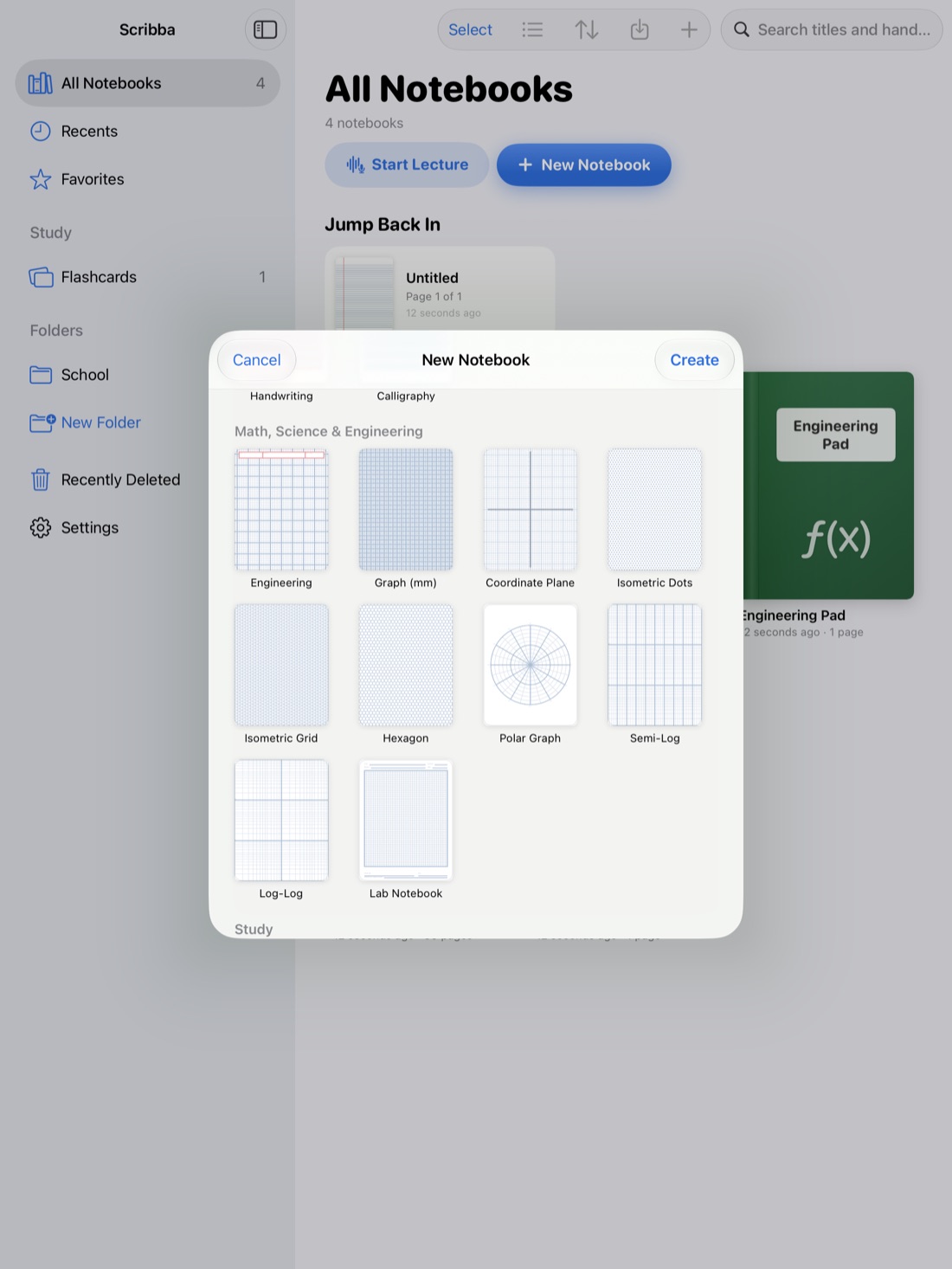
The sky is a dome, and a lot of astronomy is measured in angles, so Polar Graph paper is a natural fit. Its rings measure distance from the center and its spokes are spaced every 15 degrees.
Two uses work well:
- A sky map from the ground. Put the zenith, straight overhead, at the center and the horizon at the outer ring. Mark north, east, south and west on the spokes. Now you can sketch where a planet or constellation sits at a given time, using altitude and direction.
- Time and right ascension. The sky turns about 15 degrees per hour, so each spoke is roughly an hour of rotation. That makes polar paper handy for showing how stars circle the celestial pole through a night.
See polar graph paper on iPad for more on how polar paper is read.
Make huge numbers readable
Astronomy lives on scale. Distances run from Earth to Moon to the edge of the observable universe, and the right unit changes along the way.
- Keep a units page. Write each unit, what it's based on, and when it's used: the astronomical unit for the solar system, the light-year and parsec for stars and galaxies. Add rough conversions your course uses.
- Use powers of ten, and write the exponent large enough to read. In Scribba, the Zoom Window helps: write big in a magnified strip, and it lands small and neat on the page.
- Build a scale model on paper. Pick a scale, like Sun as a grapefruit, and work out how big and how far away Earth and Jupiter would be. Doing the math once makes the emptiness of space stick better than any number.
- Watch the reversed scales. Apparent magnitude runs backward: brighter objects have smaller numbers. Write that in a box at the top of every page that uses magnitudes.
HR diagrams on log paper
The Hertzsprung-Russell diagram plots stars by temperature and luminosity, and it's central to stellar evolution. Both quantities span huge ranges, so the axes are logarithmic, and temperature traditionally runs from hot on the left to cool on the right.
Draw it yourself rather than just copying the textbook figure. Log-Log paper, with a log scale on both axes, is made for this. Mark the main sequence, giants, supergiants and white dwarfs, then draw arrows for how a star like the Sun moves on the diagram over its life. See log graph paper on iPad.
Show your work on the physics
Astronomy courses use a handful of formulas again and again: Kepler's third law, Newton's gravity, Wien's law, the inverse-square law for brightness. Write each one with every symbol defined, the units it expects and when it applies. Work problems step by step with units on every line. The layout in physics notes on iPad suits astronomy problems well.
Scribba doesn't solve equations or recognize math. It's a place to write the work clearly and study it later.
Keep an observing log
Many courses include observing labs: logging the Moon's phase over a month, sketching Jupiter's moons on several nights, finding constellations. Record the same things every session:
- Date and local time, started and ended.
- Location, and anything blocking the view, like trees or city lights.
- Conditions: clouds, haze, the Moon's brightness, how steady the stars look.
- Instrument: naked eye, binoculars or a telescope, and the eyepiece if you used one.
- Object and observation, with a sketch. Mark directions on the sketch and the field of view if you know it.
- Questions to bring to the next class.
Sketching matters more than it seems. Drawing what you see forces you to look longer and notice more detail than a quick glance does.
Dark paper for night observing
An observing log has an unusual problem: you're writing on a screen while your eyes adjust to the dark. A bright white page undoes that adjustment in seconds.
Scribba has dark papers, Charcoal and Black, among its nine paper colors. Choose one in the paper picker for a new page, or change any page from the page sidebar. Then pick a dim ink color; astronomers traditionally use red light at night because it's easier on dark-adapted eyes. Tap the selected color to pick a new one, and save it as a favorite so it's ready next time.
A few iPadOS settings help too:
- Turn brightness all the way down in Control Center.
- Reduce White Point, in Settings › Accessibility › Display & Text Size, dims bright colors further.
- Color Filters, in the same place, includes a Color Tint option that can turn the whole screen red.
For more on comfortable night screens, see dark paper for studying at night.
Frequently asked questions
Can I use my iPad outside for an astronomy lab?
Yes. Dark paper, a red ink color and the lowest brightness keep the screen from ruining your night vision. Ask your instructor if your class has rules about screens at an observing site.
What paper should I use for astronomy notes?
Ruled or Dot Grid for lectures, Polar Graph for sky maps, Log-Log for HR diagrams, and Graph (mm) for plotting data.
How do I study for astronomy exams?
Practice drawing the geometry from both viewpoints, rework problems with units, and turn vocabulary into flashcards. Spaced repetition keeps terms fresh until the final.