 Scribba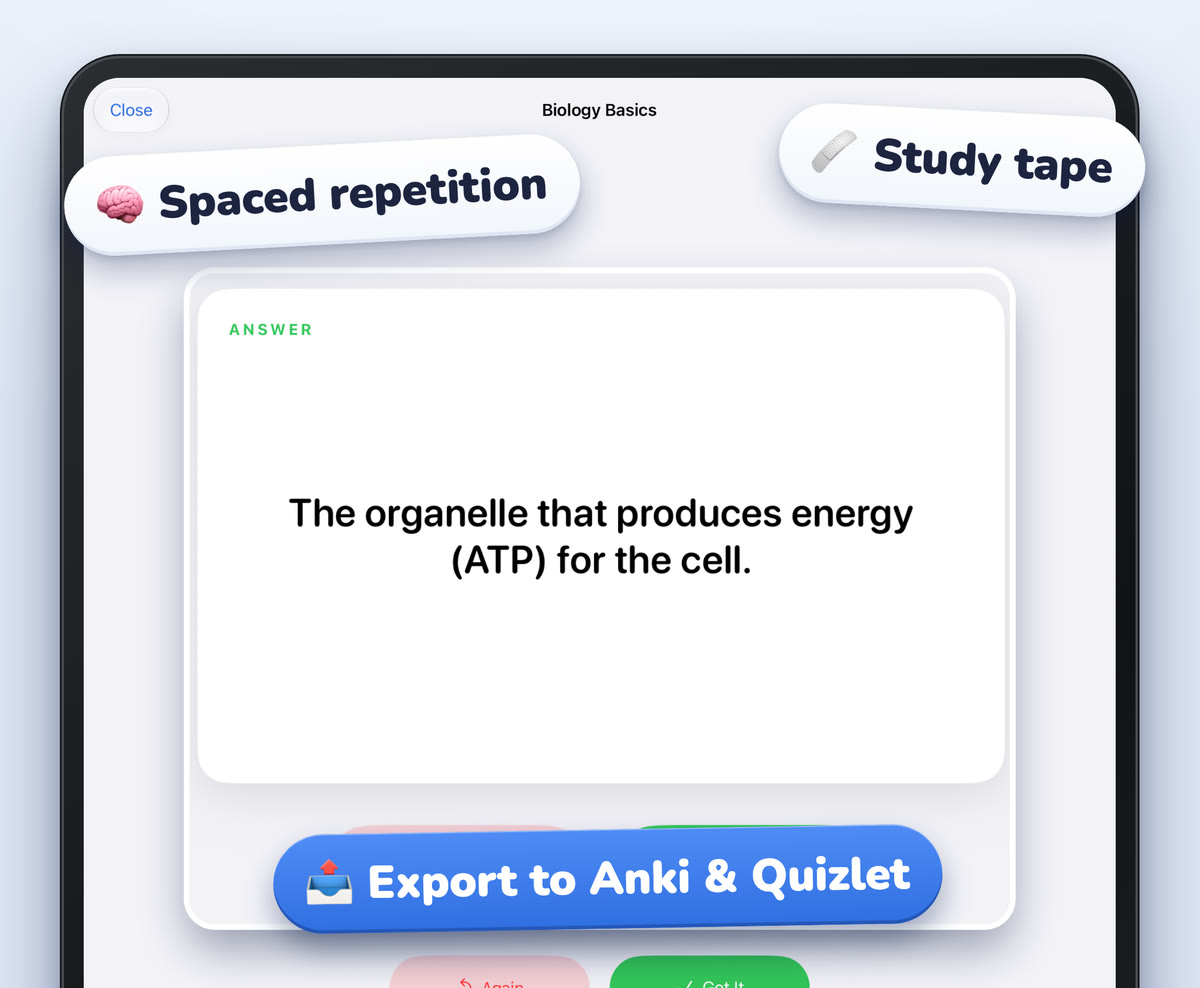
Nursing school, and health science programs in general, are a volume problem. Anatomy, physiology, pharmacology, pathophysiology and fundamentals all run at once, and each one adds dozens of new terms a week. Very little of it can be skipped, and much of it builds on what came before.
The students who keep up usually aren't the ones who study the longest. They're the ones with a system: notes organized so they can find things, vocabulary captured in a form they can review, and short, regular study sessions instead of cramming. Here's how to set that up on an iPad.
This guide is about note-taking and study habits. It isn't clinical or medical advice. Your instructors, textbooks and program are the authority on content.
A word on patient information
Never put patient information in personal notes. Follow your program's rules. Keep your personal notes to coursework and general learning.
Organize by course, then by body system
Nursing content overlaps across courses. Heart failure shows up in pathophysiology, pharmacology and med-surg, each from a different angle. A clear structure helps you find all three when you need them.
A setup that works for many students:
- One notebook per course, so each class has its own home.
- Sections by body system or unit inside each notebook: cardiovascular, respiratory, renal, neuro and so on, in whatever order your course follows.
- A bookmark at the start of each section, so you can jump straight there.
- A folder per semester, so last term's anatomy is easy to find when it comes up again.
In Scribba, you can make as many notebooks and folders as you need, and give each notebook a cover with a color, a subject icon or a photo. Named bookmarks in the page sidebar become a table of contents for the notebook. Search covers your handwriting, typed text, PDF text and lecture transcripts, so typing a term like "diuretic" finds the pages that mention it, across all your courses.
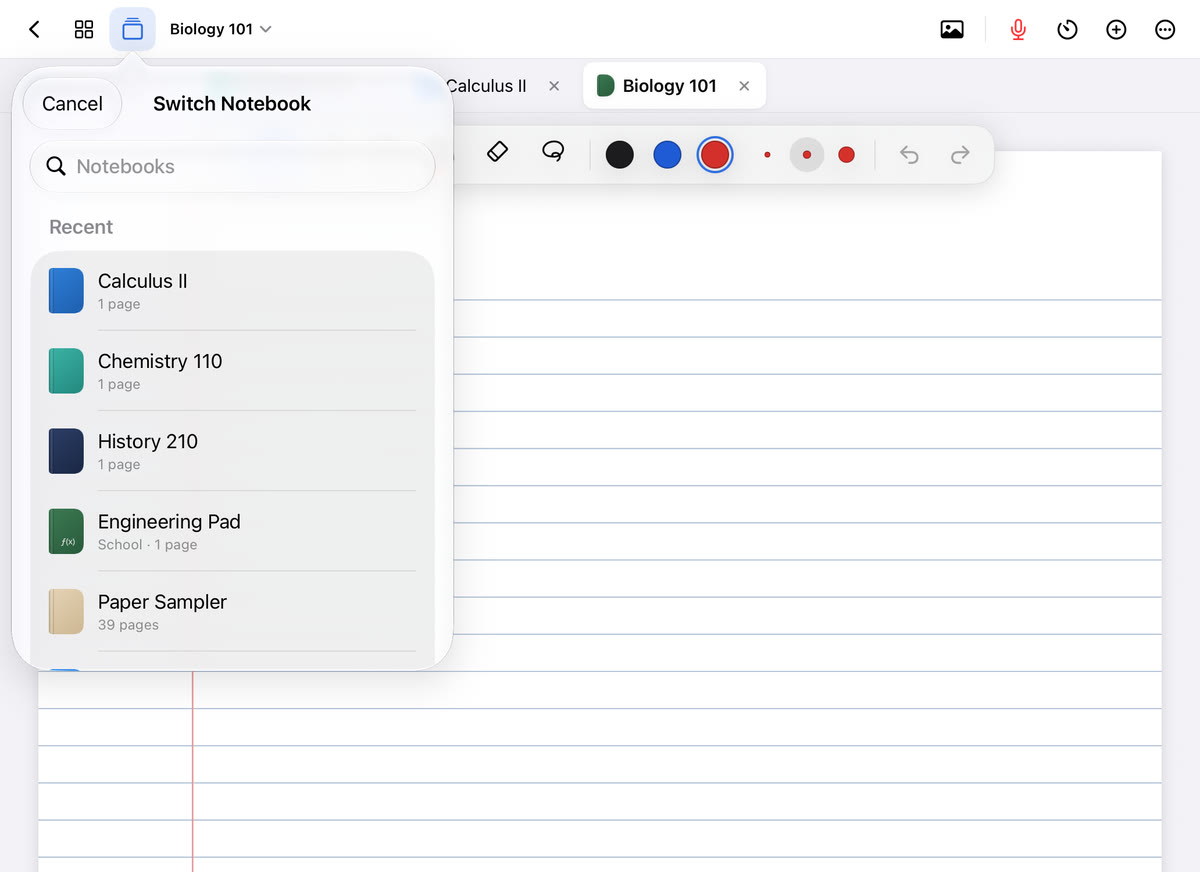
When you're studying one system across courses, open the notebooks you need as tabs. Scribba keeps up to six notebooks open at once, and the quick switcher (⌘O on a keyboard) jumps between favorites and recents.
Build vocabulary pages, not vocabulary piles
Medical terminology is the foundation of everything else. The good news is that it's built from parts. Prefixes, roots and suffixes repeat across hundreds of words, so learning the parts makes new words easier to decode.
Some habits that help:
- Keep a running word-parts page with common prefixes, roots and suffixes and what they mean. Add to it all term.
- Make a vocabulary page per unit. During lecture, mark new terms with a small symbol. After class, copy each one onto the vocabulary page with a short definition in your own words.
- Group drug content by class. Learning a drug class as a group (what it does, what to watch for, how the names tend to look) is usually easier than learning every drug alone. Follow the structure your pharmacology course uses.
- Write definitions short. If a definition doesn't fit on one line, it's probably two cards.
Scribba's Vocabulary paper is made for this. Write one term and its definition per row, and when the page is filled in, Scribba reads your handwriting and turns each row into a flashcard. Review and fix any misread words, which matters with long medical terms, then study the deck. This works without Apple Intelligence. See flashcards from handwritten notes.
Review a little every day with spaced repetition
With this much material, the biggest risk is forgetting last month's content while learning this week's. Spaced repetition is the standard fix. You review a card just as you're starting to forget it, and each successful review pushes the next one further out. It's well established that spacing reviews out and testing yourself beats rereading for long-term memory.
In Scribba, flashcard decks use spaced repetition: cards come back after 1, 3, 7, 14 and 30 days. You can study every due card at once, which suits a daily review habit. If you also use Quizlet or Anki, you can export a deck there. More in spaced repetition flashcards.
Tip: do your due cards at the same time every day, like before your first class. A short daily review is much easier to keep up than a long weekly one.
Cover diagrams with study tape
Anatomy and physiology are visual. You need to know where structures are and how blood, air or signals move through them. Rereading a labeled diagram feels like studying, but naming the parts from memory is what actually builds recall.
Draw or import the diagram, label it, then cover the labels. In Scribba, drag study tape over each label. When you study, name the structure, then tap the tape to peek. The same works for drug class tables, the steps of a process or the parts of a care plan template. If your instructor shares slides as a PDF, import them and tape over the labels directly. See study tape on iPad.
Record lectures with dense content
Nursing lectures move fast and are packed with terms you're hearing for the first time. If your instructor allows it, recording helps you catch what you missed. Ask first, and check your program's policy; is it OK to record lectures? covers what to consider.
In Scribba, tap the mic (or press ⌘R) and take notes as usual. Every stroke is linked to that moment in the recording, so after class you can tap a half-written term and hear it again. Scribba also transcribes recordings, so you can search for what was said. Start Lecture adds a dated, bookmarked page and starts recording in one tap from the library. See how to record a lecture on iPad.
On an iPad that supports Apple Intelligence, with it turned on, Scribba can also write a lecture's key points and show what your notes left out, all on the iPad itself.
Care plans and concept maps
Many programs teach care plans or concept maps as a way to connect assessment data, nursing diagnoses, interventions and outcomes. Use the exact format your program teaches. For practice versions in your notes, a dot grid page gives you room to draw boxes and arrows. In Scribba, hold the Apple Pencil still at the end of a stroke to snap a rectangle, circle or arrow, so a concept map stays neat even when you sketch it quickly.
Frequently asked questions
Can I search all my notes for one term?
Yes. Search from Scribba's library looks through handwriting, typed text, PDF text and lecture transcripts in every notebook, and results open on the matching page.
What paper is best for nursing notes?
Ruled or Cornell paper for lectures, Vocabulary paper for terms, and dot grid for diagrams and concept maps. You can mix them in one notebook.
Do I need Apple Intelligence for flashcards?
No. Flashcards from Vocabulary and Cornell Notes pages work on any iPad that runs Scribba. Apple Intelligence is only needed for flashcards from a transcript or other pages.