 Scribba
Most people pick a paper template and never think about the rest. But two other choices shape every page you write: the color of the paper and the size of the page. Get them right and your notes print cleanly, read comfortably at night and are easy to tell apart at a glance. Get them wrong and you're squinting at a glaring white page at midnight, or exporting homework that doesn't fit the paper your printer uses.
This guide covers how to choose both. For the templates themselves, see iPad note paper templates.
Choose the page size first
Page size is the choice to think about before you start, because in Scribba it's set per notebook when you create it, along with portrait or landscape. Paper type and color can change page by page later. Size can't be switched page by page, so match it to what the notebook is for.
Scribba has six page sizes:
- US Letter. The standard in the US and Canada. Pick it for anything you'll print or submit there, like problem sets, lab pages and essays you draft by hand. It also matches most handouts and PDFs from North American courses.
- A4. The standard in most of the rest of the world. Pick it if your school, printer and handouts use A4.
- A5. Half the size of A4. It feels like a small notebook or journal. It suits reading notes, a daily journal or a personal notebook, where a smaller page feels more natural.
- iPad. A page named for the screen you're writing on. If a notebook's pages will mostly stay on the iPad, it's a natural choice.
- Square. Good for things that don't have a natural top and bottom: mind maps, concept maps, sketches and diagrams that grow in every direction.
- Widescreen. Named for the wide shape of slides and screens. Try it in landscape for planning a presentation by hand or for anything that runs side to side.
If you're not sure, use the size that matches your country's printer paper. It's the safest choice for anything you might print or turn in.
Portrait or landscape
Portrait suits most note-taking: lines of writing run down a tall page, the way you're used to. Landscape is better when the content is wide:
- Timelines for history or literature classes.
- Wide tables, like comparing several organisms, theories or case studies across many columns.
- Large diagrams, such as circuits, process flows or a whole metabolic pathway.
- Storyboards. On Scribba's Storyboard paper, scene frames run 2 across in portrait and 3 across in landscape.
Since orientation is set per notebook, a class that's mostly writing with the occasional wide diagram is usually best in portrait. A class built around wide visuals can get its own landscape notebook.
Paper color: nine choices, and what each is for
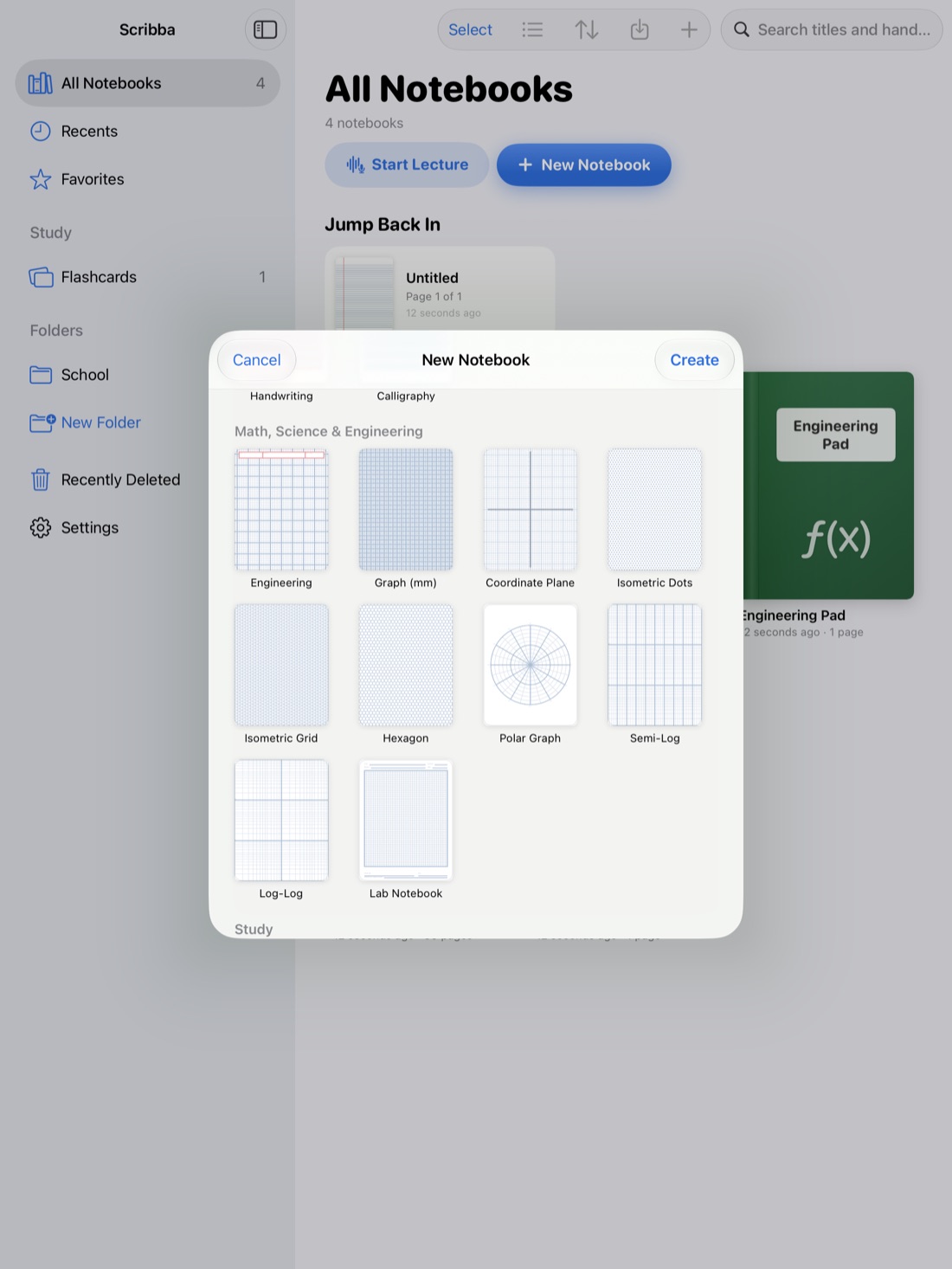
Scribba has 9 paper colors: White, Ivory, Yellow, Mint, Blue, Gray, Charcoal, Black and E-Ink. Some templates start on a color that matches their paper version: Journal opens on Ivory, Legal Pad is yellow by default and Engineering is mint by default. You can change any of them.
- White. The highest contrast and the most faithful to ink colors. Use it for pages you'll print or submit, and for color-coded notes where the exact colors matter.
- Ivory. A warmer, softer white. Many people find it calmer for long writing and reading sessions.
- Yellow. The legal pad feel. Good for drafts, brainstorming and anything you think of as scratch work.
- Mint. Classic engineering paper green.
- Blue and Gray. Quiet tints that are handy for marking a kind of page, like review sheets or summaries, so it stands out when you scroll.
- Charcoal and Black. The two dark papers. They give off much less light, which many people find easier on the eyes at night. You'll need a light ink color, since black ink disappears on them. More in dark paper for studying at night.
- E-Ink. A soft gray, like an e-reader page.
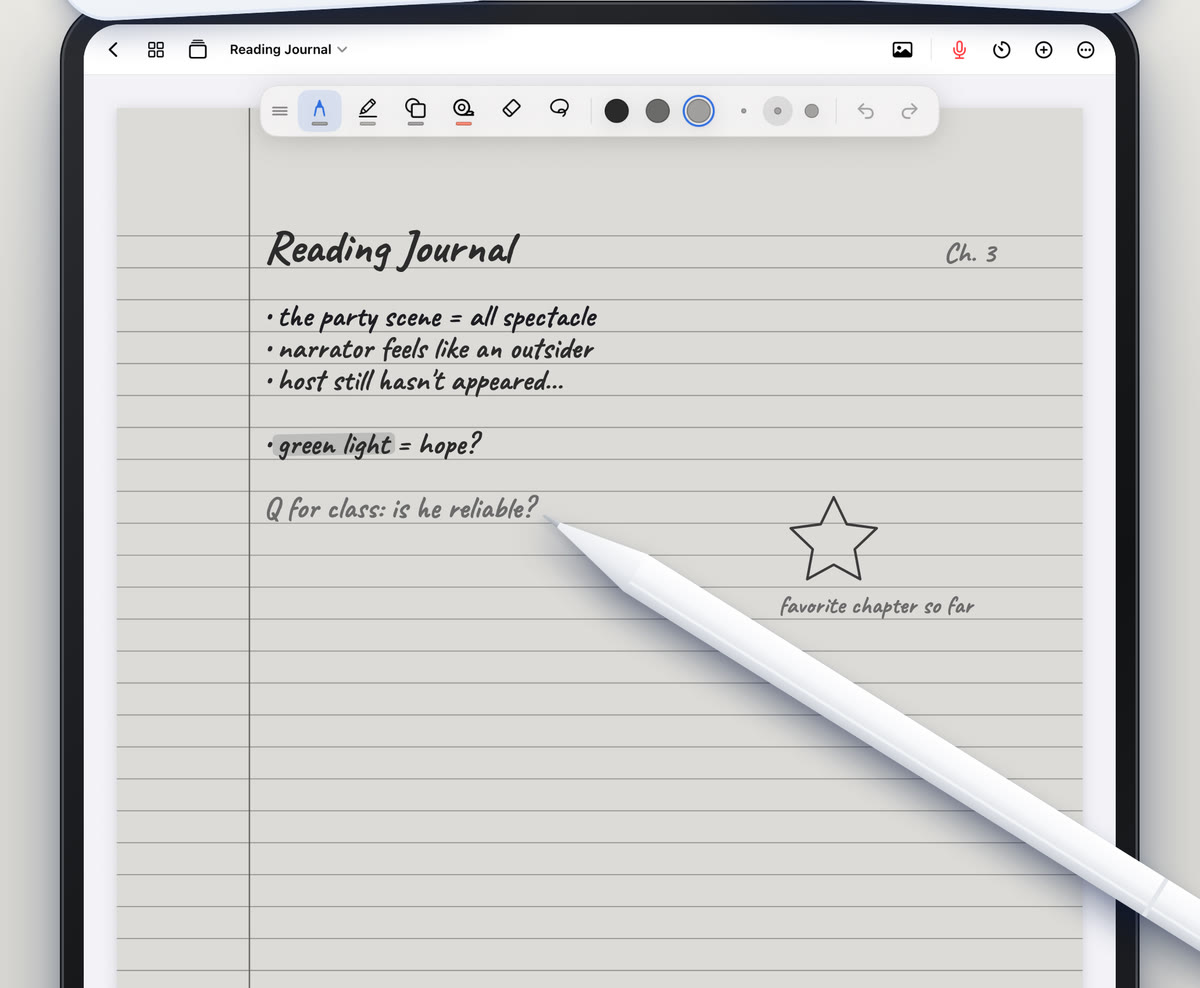
E-Ink also goes further than a color. Scribba's E-Ink Books give any template soft gray e-ink paper, with pens and highlighters that write in e-ink grays. It suits long reading notes where color would only be a distraction. See e-ink paper on iPad.
Use color as a signal, not decoration
The best use of paper color is to tell you what a page is before you read it. Pick a small system and stick to it all semester. For example:
- White for lecture notes.
- Blue for review sheets and summaries.
- Yellow for drafts and scratch work.
- Dark paper for anything you study late at night.
Avoid using paper color to mark which class a page is from. That's what separate notebooks and their covers are for, and a notebook with a different color on every page quickly turns into noise.
Tip: test your ink and highlighter colors on a new paper color before a long session. A highlighter that looks right on white can be hard to see on yellow, and dark ink vanishes on Charcoal and Black.
Setting size and color in Scribba
- Page size and orientation: choose them in the New Notebook sheet when you create a notebook. For a different size, start a new notebook.
- Paper type and color for a new page: pick them in the paper picker, which shows paper colors and types together.
- Changing an existing page: open the page sidebar and change the paper.
Because color and type are set per page, one notebook can hold white lecture pages, a blue review page and a dark page for late study, all in the right order.
Frequently asked questions
Can I change the page size of a notebook later?
Page size and orientation are chosen when you create the notebook, so it's worth deciding up front. If you need a different size, start a new notebook in that size.
Which page size is best for printing?
Use your country's standard printer paper: US Letter in the US and Canada, A4 in most other places.
Can different pages in one notebook have different colors?
Yes. Paper color and type are set per page, from the page sidebar.
Which paper color is easiest on the eyes?
It depends on the light around you. Many people like White or Ivory during the day, and Charcoal, Black or E-Ink at night.