 Scribba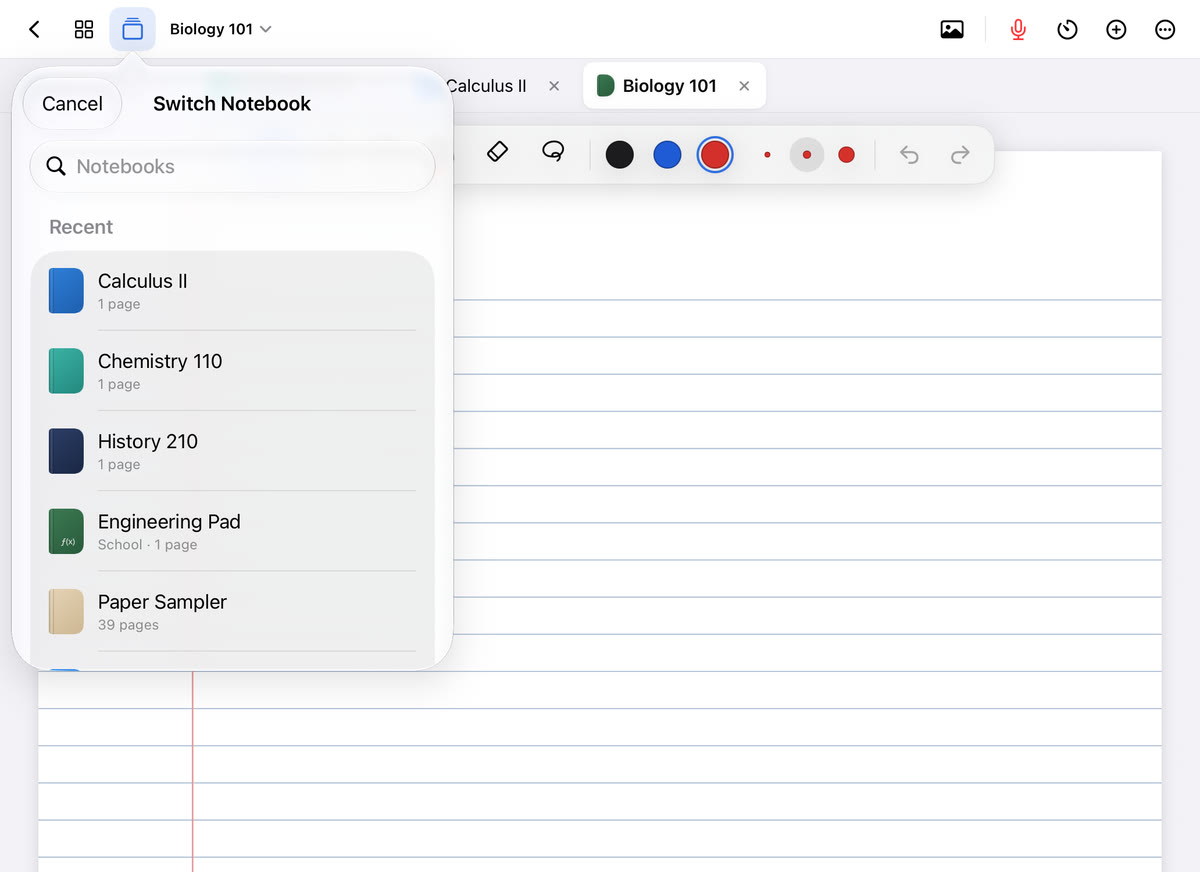
The hardest part of studying is often the first five minutes. You sit down, open your notes, check your phone, reorganize your desk, and somehow an hour is gone. The Pomodoro technique is a simple way around that. You don't commit to "studying tonight." You commit to one short block of focus, then a break.
Here's how it works, how to adjust it to the kind of work you're doing, and how to plan a full study session with it.
How the Pomodoro technique works
The technique was created by Francesco Cirillo, who named it after the tomato-shaped kitchen timer he used as a student. Pomodoro is Italian for tomato. The classic version goes like this:
- Pick one task. Something specific, like "rework problems 1 to 5" or "quiz myself on chapter 4 terms."
- Set a timer for 25 minutes and work on that task only.
- When the timer goes off, stop and take a 5-minute break.
- Repeat. After four rounds, take a longer break, around 15 to 30 minutes.
Each 25-minute block is one "pomodoro." That's the whole method. It's popular with students because it's easy to start and easy to stick to.
Why it helps
A few things make this work better than sitting down for an open-ended session:
- Starting is easier. Twenty-five minutes feels doable even when three hours doesn't.
- Distractions have a place to go. If you remember a text you need to send, it can wait until the break, which is only a few minutes away.
- Breaks are built in. Regular rest keeps you from grinding along at half attention for the last hour.
- You can see where time goes. Counting pomodoros shows you how long tasks really take, which makes planning the next session more honest.
Tip: keep a scrap of paper next to you. When an unrelated thought pops up, like an email or an errand, write it down and get back to work. You'll deal with the list on your break.
Adjusting the interval lengths
Twenty-five and five is a starting point, not a rule. Different work suits different lengths.
- Longer blocks for deep work. Problem sets, essays and coding often take a while to get into. Some students prefer 45 or 50 minutes of work with a 10-minute break, so they aren't interrupted just as things click.
- Shorter blocks when you can't start. On a low-energy day, or with a subject you dread, try 15 minutes. Getting one block done is better than none.
- Keep the break in proportion. A longer block deserves a longer break. A five-minute break after an hour of work usually isn't enough.
- Finish the thought. If the timer rings mid-sentence or mid-problem, finish that one step, then stop. Don't start the next one.
Try a length for a few days before changing it. You'll find what fits each class.
What to do on your breaks
The break matters as much as the work. The goal is to rest your attention, not to start a different kind of screen time.
- Get up. Stand, stretch, walk to the kitchen, refill your water.
- Look at something far away. Your eyes have been on a page or screen for the whole block.
- Stay off endless feeds. Social media and video apps are built to keep you scrolling, and a five-minute break turns into twenty.
- Don't start a new task. Answering a quick email can pull you into a long thread.
- Use the long break for real rest. Have a snack, go outside, or talk to someone.
Planning a session with pomodoros
The technique works best when you decide what each block is for before you begin.
- List what you need to get done for each class.
- Estimate each task in pomodoros. Reviewing flashcards might be one. A problem set might be four.
- Give each block one specific task. "Chemistry" is too vague. "Redo the three titration problems I got wrong" is a block.
- Start with recall. Use the first block of a session to quiz yourself on last time's material before reading anything new.
- Leave a note for next time. In the last few minutes of your final block, write down exactly where to start tomorrow.
A two-hour evening could look like this: one pomodoro for due flashcards, two for a problem set, a long break, then one for reading for tomorrow's class.
The focus timer in Scribba
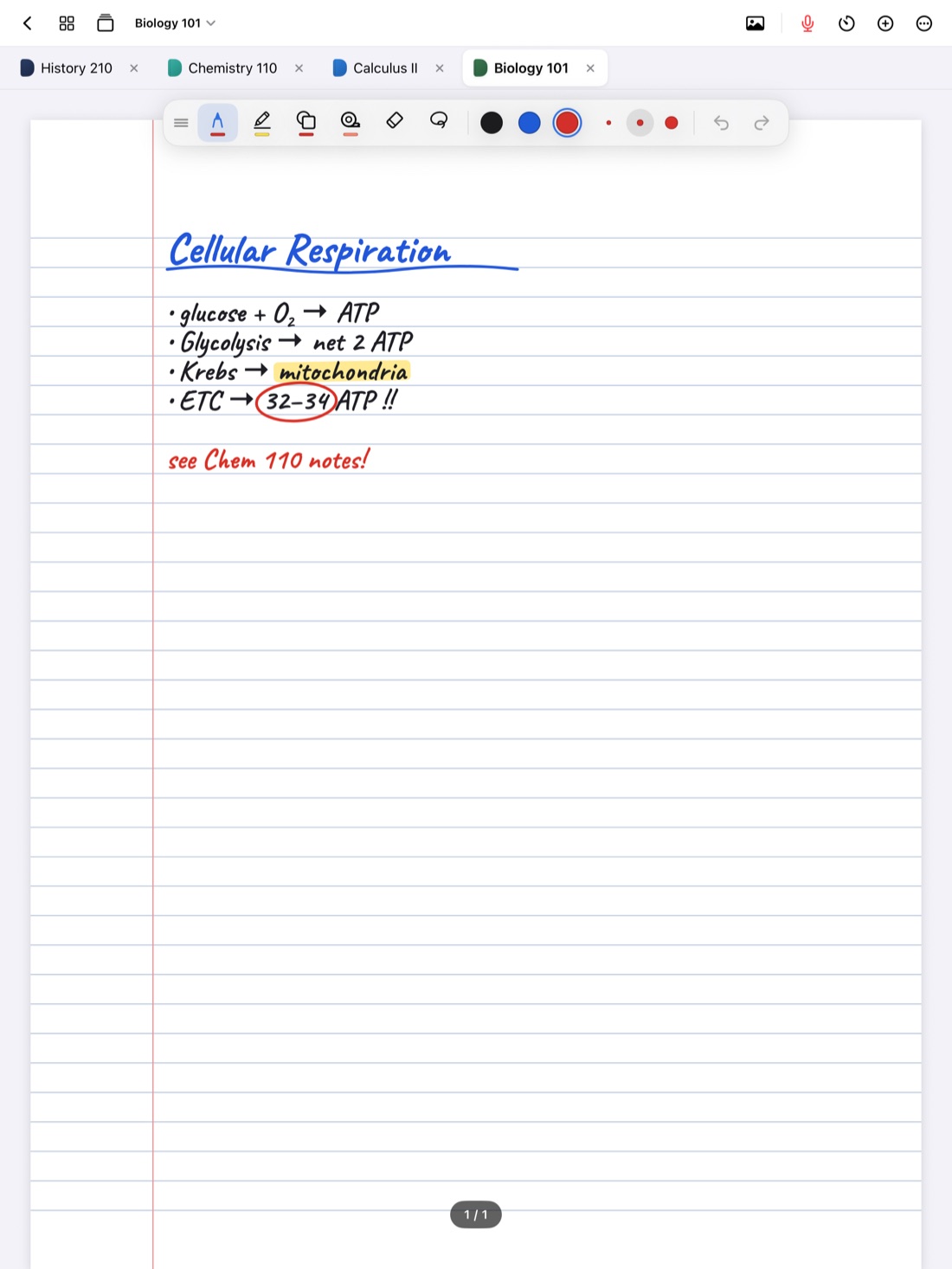
Scribba is an iPad notebook for class, and it has a focus timer built in: a Pomodoro timer for study blocks. What makes it handy is that it follows you between notebooks. If one block covers your Biology flashcards and the next covers your History reading, you switch notebooks and the timer keeps going. You don't have to restart it or keep a separate timer app open.
Switching is quick, too. Scribba keeps up to six notebooks open as tabs, so your classes for the session are one tap apart. Press ⌘O for the quick switcher, with favorites, recents and search, or ⌘⇧ and ⌘⇧] to move between tabs on a keyboard. More on that in [notebook tabs and the quick switcher.
A few ways to fill a pomodoro in Scribba:
- Review due flashcards. You can study every due card across your decks in one session, which fits neatly into one block. See spaced repetition flashcards.
- Quiz yourself with study tape. Cover terms or diagram labels on a page of notes, then tap to peek. The study tape guide shows how.
- Clean up today's notes. Fill in gaps while the lecture is fresh, and add bookmarks so you can find each topic later.
The focus timer, flashcards and study tape all work without Apple Intelligence. One small extra: Scribba hides the iPad's status bar by default so your notes get the whole screen. If you want the clock and battery visible while you study, turn on Settings › Screen › Show Time and Battery.
Frequently asked questions
Is 25 minutes the right length?
It's a good place to start. If you often feel cut off just as you get going, try longer blocks. If you struggle to start at all, try shorter ones.
Can I use the Pomodoro technique for reading?
Yes. Set a page range or a section for each block, and spend the last minute or two writing down the main ideas from memory before your break.
Does Scribba's focus timer need Apple Intelligence?
No. The focus timer works on any iPad that runs Scribba.