 Scribba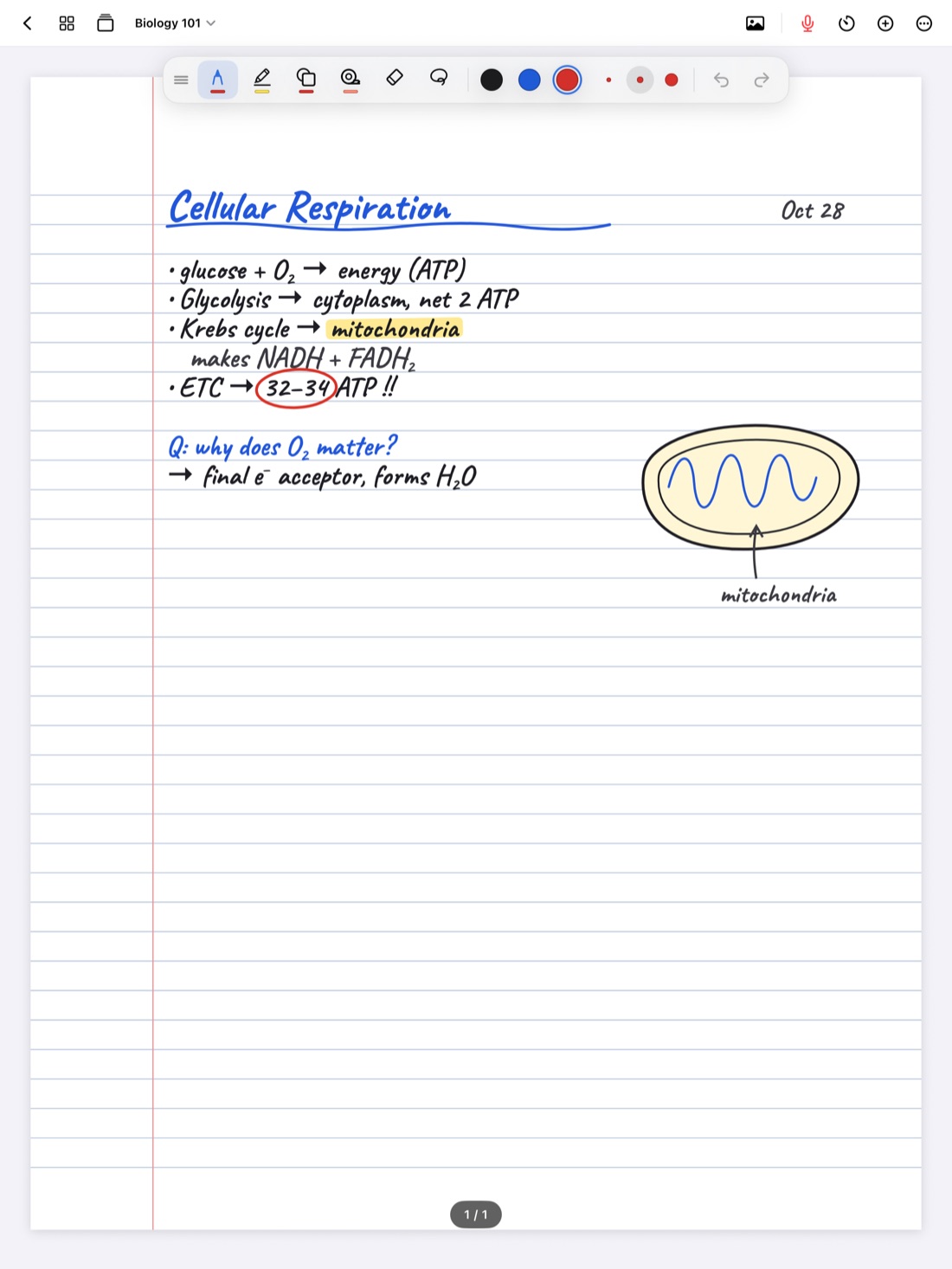
There's an old study trick that works with paper notes: lay a sheet of paper over half the page, try to say what's underneath, then slide it down to check. It's simple, and it works better than reading your notes over and over.
Study tape is the same trick on an iPad. You drag a strip of tape over a definition, a label or a formula, try to recall it, and tap the tape to peek. Here's why it works, what's worth covering, and how to use it in Scribba.
Active recall, in plain terms
Active recall means pulling information out of your memory instead of putting it in again. When you reread a page, everything looks familiar, and familiar feels like knowing. But on the exam there's no page to look at, only a question and a blank space.
Covering part of your notes recreates that moment. You see the question, the heading or the diagram, and you have to come up with what's missing. If you can, great. If you can't, you've found a gap while there's still time to fix it. Testing yourself this way is one of the best-established ways to make material stick, and it's especially strong when you repeat it over several days instead of all at once.
Why your own notes are a good place to do it
Flashcards are great for single facts, but a lot of what you need to know doesn't fit on a card. A labeled diagram of the heart, the steps of a proof, a timeline of a war, a reaction with its conditions: these make sense as a whole page, with the layout you drew in class.
Quizzing yourself on that page keeps the context. You remember that the answer was in the top corner, next to the arrow, under the heading about the electron transport chain. That's how memory often works, and it's how you'll picture your notes during the exam.
It also saves time. There's nothing to set up. The notes you already took become the quiz.
What to cover
Some parts of a page are much better to hide than others. Cover the answer, not the question, and leave enough showing that you know what you're being asked.
- Definitions. Leave the term showing and cover what it means. For a second pass, flip it: cover the term and recall it from the definition.
- Diagram labels. Cover the labels on a cell, a map, a circuit or an anatomy sketch and name each part. This is one of the most useful things study tape does.
- Formulas. Leave the name showing, like "ideal gas law," and cover the equation. Then cover the units, or what each variable stands for.
- Dates and names. For history, cover the year next to each event, or the person next to each treaty or speech.
- Steps in a process. Cover every step after the first and try to walk through the rest in order.
- Translations. In a language class, cover one side of a vocabulary list, then the other.
- The answer to a worked problem. Leave the problem visible and cover your solution. Work it again on scratch paper, then peek.
Tip: don't cover a whole page in one go. Tape one section, work through it, then move on. A page with a dozen strips is harder to quiz yourself on than three sections done one at a time.
How to use study tape in Scribba
Study tape is one of the tools in Scribba's tool palette, alongside the pens, highlighter and eraser.
- Open the notebook and turn to the page you want to study.
- Choose study tape in the tool palette.
- Drag across the answer, term or diagram label you want to hide. The tape covers it.
- Look at what's still showing and try to recall what's underneath. Say it out loud, or write it in the margin.
- Tap the tape to peek and check your answer.
If you put a strip in the wrong place, a two-finger tap undoes it, just like any other mark.
Because study tape works on your handwritten pages, it fits well with everything else you write in Scribba. Biology diagrams, chemistry structures, timelines and vocabulary lists can all be quizzed without retyping a thing. If you don't have an Apple Pencil, you can place tape with your finger after turning on Settings › Draw with Finger. Study tape doesn't need Apple Intelligence.
A simple study session
Here's a routine that works for most classes:
- Tape the page right after you review it. The day of the lecture, read through your notes once, fill in anything missing, then add tape to the parts you'll need to remember.
- Quiz yourself the next day. Go through the page, recall each covered part, and peek to check.
- Mark what you missed. Draw a small star in the margin next to anything you got wrong.
- Come back to the stars. A few days later, go through the page again, paying extra attention to the starred parts.
- Move the hard ones to flashcards. If something keeps tripping you up, give it a card so it comes back on a spaced repetition schedule.
Study tape or flashcards?
Use both. Flashcards are best for single facts with a clear answer, and they come back automatically on a schedule. Study tape is best for anything that depends on layout and context: diagrams, processes, worked problems, and pages you want to review as a whole.
In Scribba, vocabulary lists and Cornell notes can turn into flashcards from your handwriting, so you can tape a page and make a deck from it too. See how to make flashcards from handwritten notes. For subject-specific ideas, the guide to biology notes on iPad shows how this works with diagrams.
Frequently asked questions
Does study tape need Apple Intelligence?
No. Study tape works on any iPad that runs Scribba.
What should I put tape on first?
Start with whatever your professor said will be on the exam, then definitions and diagram labels. Those give you the clearest yes-or-no check when you peek.
Is study tape better than rereading my notes?
For remembering, yes. Rereading makes notes feel familiar. Covering parts and recalling them shows you what you actually know, which is what an exam tests.