 Scribba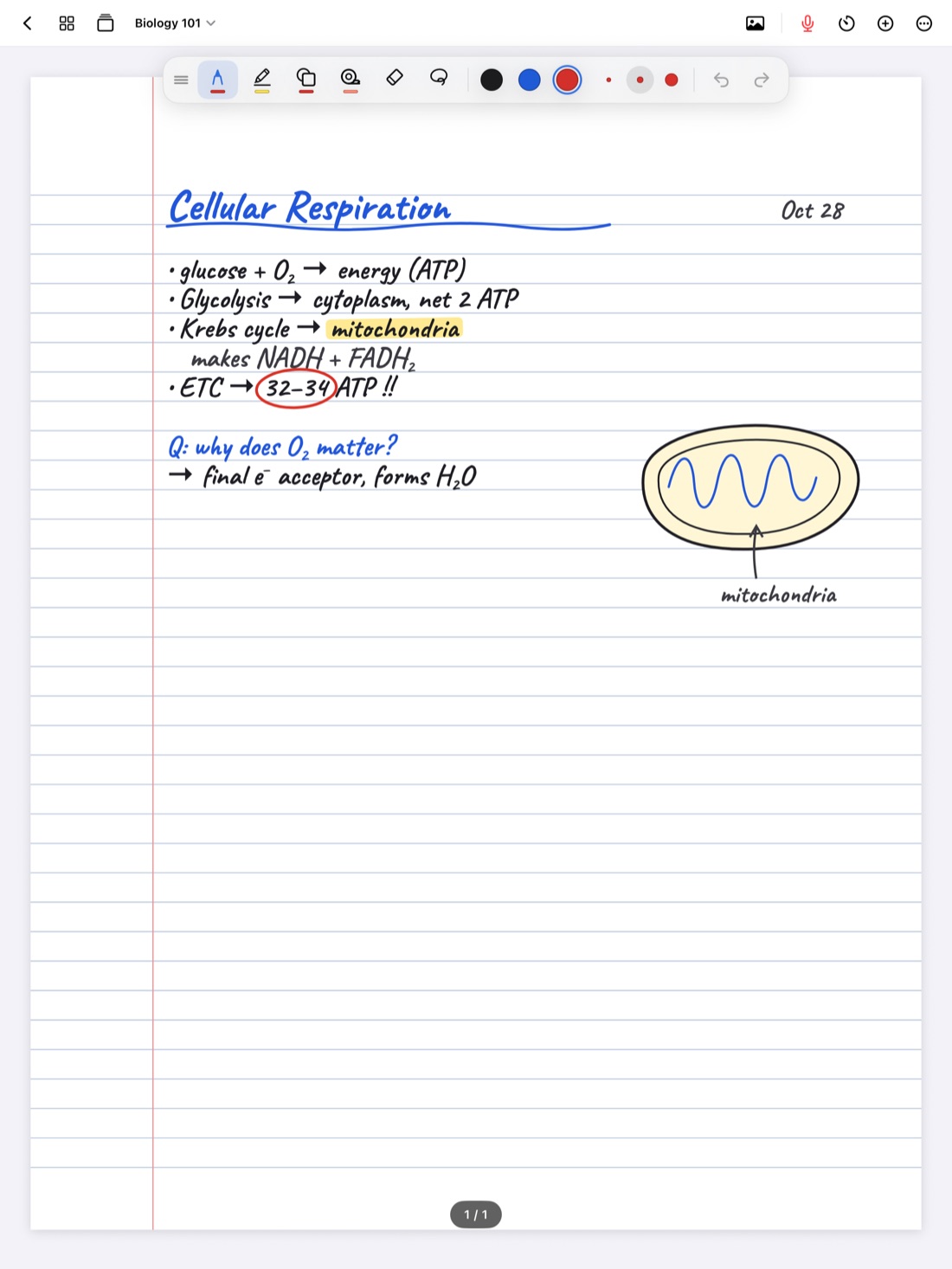
No one takes complete notes. You look down to finish a diagram and miss a definition. Someone asks a question and you lose the thread. The professor says something important in the last two minutes while everyone is packing up. Gaps are normal.
The problem is that gaps are invisible. A missing idea doesn't leave a hole on the page, so you study from your notes, feel prepared, and then meet a question on the exam about something you never wrote down. This guide covers how to spot those gaps and fill them, with or without technology, and then how Scribba's What Did I Miss? does the comparison for you.
Why your notes have gaps
It helps to know where gaps usually come from, so you can watch for them:
- Speed. Professors talk faster than anyone writes. The second half of a long explanation is the part most likely to go missing.
- Copying slides. If you spend class copying slide text, you miss what the professor says about the slide, which is often the part that ends up on the exam.
- Things said out loud. Examples, warnings ("people always get this wrong") and logistics are rarely on a slide.
- Losing focus. Everyone drifts for a minute or two. The trouble is you don't notice which minute.
Mark gaps while they happen
The easiest gap to fill is one you flagged in class. Keep a simple symbol for "I missed this," like a question mark or a star in the margin, and draw it the moment you lose the thread. Don't stop to fix it. Just mark it and keep going.
After class, your notes now tell you exactly where to look. If you record your lectures in Scribba, that mark is linked to the moment you drew it, so tapping it plays back exactly what you missed.
Review the same day
Gaps are easiest to fill while the lecture is still fresh. A short review the same day, even ten minutes, usually catches more than a long review a week later:
- Read through your notes from start to finish.
- Circle anything that doesn't make sense now that you're out of the room.
- Write a one-line summary at the bottom of each page. If you can't summarize a page, that's a gap.
- Compare your notes against the slides, the syllabus topic for that day, and the assigned reading.
Ways to fill a gap
Once you know what's missing, you have a few options. Use whichever fits the gap:
- Compare with a classmate. Swap notes with someone you trust after each class. You'll each catch things the other missed. Study partners are especially useful for diagrams and worked examples.
- Go to office hours. Professors and TAs hold office hours for exactly this. Bring your specific questions: "I have the first two steps of this proof, what comes next?" gets a better answer than "I'm confused about week four."
- Check the textbook or reading. Many lecture topics are covered in the assigned reading, often with more detail.
- Re-listen to the lecture. If you recorded it, jump to the part you missed instead of replaying the whole hour.
Tip: when you fill a gap, write the new material in a different color. When you review later, you'll see which ideas were hard to catch the first time, which are often worth extra attention.
What Did I Miss? in Scribba
Scribba is an iPad notebook that records the lecture while you write. On iPads that support Apple Intelligence, it can do the comparison between the lecture and your notes for you.
Here's how it works. Once a lecture recording is transcribed, Scribba writes the key points of the lecture from the transcript. What Did I Miss? compares those key points with what you wrote during the lecture, and lists the ideas your notes left out. Each one is ready to add to the page, so you can fill the gap right where it belongs.
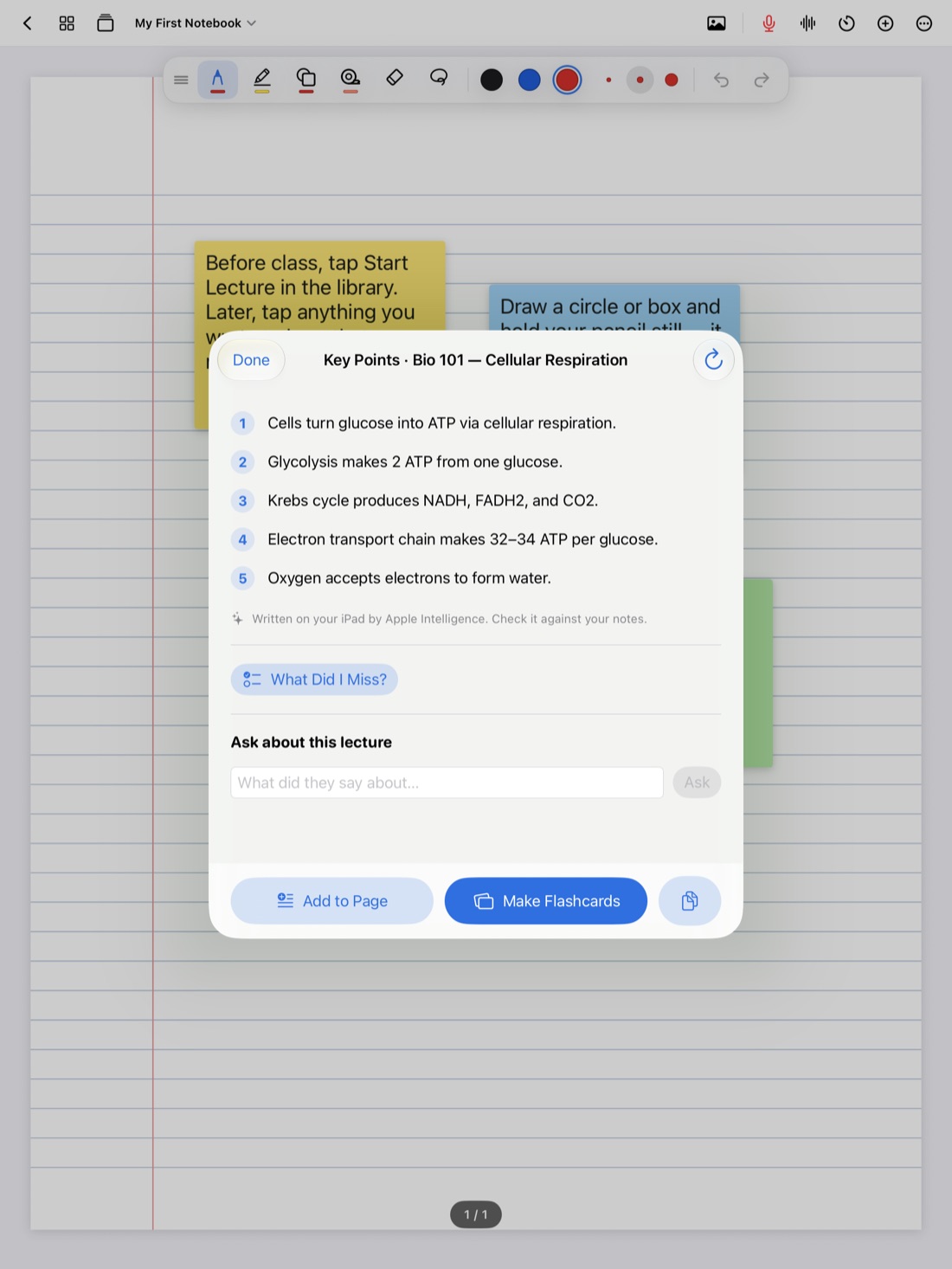
How to use it
- Record the lecture in Scribba and take notes as you normally would. Start Lecture in the library adds a dated page to the class notebook and starts recording in one tap.
- Stop recording when class ends. Scribba transcribes the recording and writes its key points automatically.
- Open the lecture's key points and tap What did I miss.
- Read the list. Add the ideas you want to the page, and leave out anything you already understand.
What Did I Miss? needs an iPad that supports Apple Intelligence, with Apple Intelligence turned on, running iPadOS 26. It runs on the iPad itself, so nothing is uploaded.
Use it well
What Did I Miss? is a fast way to see the gaps, but the list is a starting point:
- Check before you add. If an item surprises you, find it in the lecture transcript or the recording and hear it in context.
- Put it in your own words. Rewriting a missed idea helps you remember it better than pasting it in.
- Still review the same day. The comparison catches missing content. It can't tell you which parts you wrote down but didn't understand.
- Look for patterns. If you keep missing the same kind of thing, like examples or definitions, adjust how you take notes in class.
Frequently asked questions
Do I need to record the lecture?
Yes. What Did I Miss? compares the lecture's key points, which come from the recording's transcript, with what you wrote during the lecture. Without a recording, there's nothing to compare against.
What if my iPad doesn't support Apple Intelligence?
You can still record, tap your notes to hear what was said at that moment, and search the transcript for anything you missed. The automatic comparison needs Apple Intelligence.
Does it change my notes on its own?
No. It lists what your notes left out. You decide what to add to the page.