 Scribba
Accounting looks like a math class, but it isn't one. The arithmetic is mostly addition and subtraction. The hard part is deciding which accounts a transaction touches, which side each one goes on, and where it ends up on the financial statements. Your notes need to capture that judgment, step by step, in a form you can practice.
That's why working problems by hand helps so much, even when your homework lives in an online system. Writing out a T-account forces you to make every decision yourself. Here's how to set up accounting notes on an iPad that make those decisions stick.
Start every unit from the accounting equation
Assets = Liabilities + Equity. Everything in an intro financial accounting course follows from that line. Write it at the top of your first page, and come back to it whenever a transaction confuses you.
A useful habit: for each new kind of transaction in lecture, write a one-line "equation check" beside it. Buying supplies with cash: one asset up, another asset down, still balanced. Borrowing from a bank: assets up, liabilities up. When a journal entry looks wrong, the equation check usually shows why.
Pin down the debit and credit rules
Debits and credits trip up almost everyone at first, mostly because the words don't mean what they mean in everyday life. Debit means left side. Credit means right side. That's it.
What you need to memorize is which side increases each type of account:
- Assets, expenses and dividends (or owner's draws) increase with a debit.
- Liabilities, equity and revenue increase with a credit.
- Each account's normal balance is the side that increases it.
Many students use the mnemonic DEALER: Dividends, Expenses and Assets on the debit side; Liabilities, Equity and Revenue on the credit side. Write the rules in a box on their own page, and bookmark it so it's one tap away all term.
Draw T-accounts the same way every time
A T-account is just a large T: the account name on top, debits on the left, credits on the right. Simple as it is, a consistent layout saves you on exams.
- Write the account name above the T.
- Post each amount on the correct side, with a small letter or date that ties it to its journal entry.
- Draw a line under the last posting.
- Write the ending balance on the side where it falls.
Group T-accounts by type on the page: assets on the left half, liabilities and equity on the right, revenues and expenses below. That layout mirrors the accounting equation, so a glance tells you whether things balance.
In Scribba, hold the Apple Pencil still at the end of a stroke and it snaps into a straight line, so two quick strokes make a clean T. If you draw T-accounts for a whole lecture, switch to the Shape tool and every stroke snaps. Draw one page of labeled, empty T-accounts, then duplicate that page from the page sidebar whenever you need a fresh set.
Write journal entries in the standard format
Journal entries have a standard layout. Use it in your notes too, so it's automatic on the exam:
- Date on the left.
- The debited account(s) first, flush left, with the amount in the debit column.
- The credited account(s) below, indented, with the amount in the credit column.
- A short explanation underneath, in a few words.
Check that total debits equal total credits before moving on. Every entry has to balance.
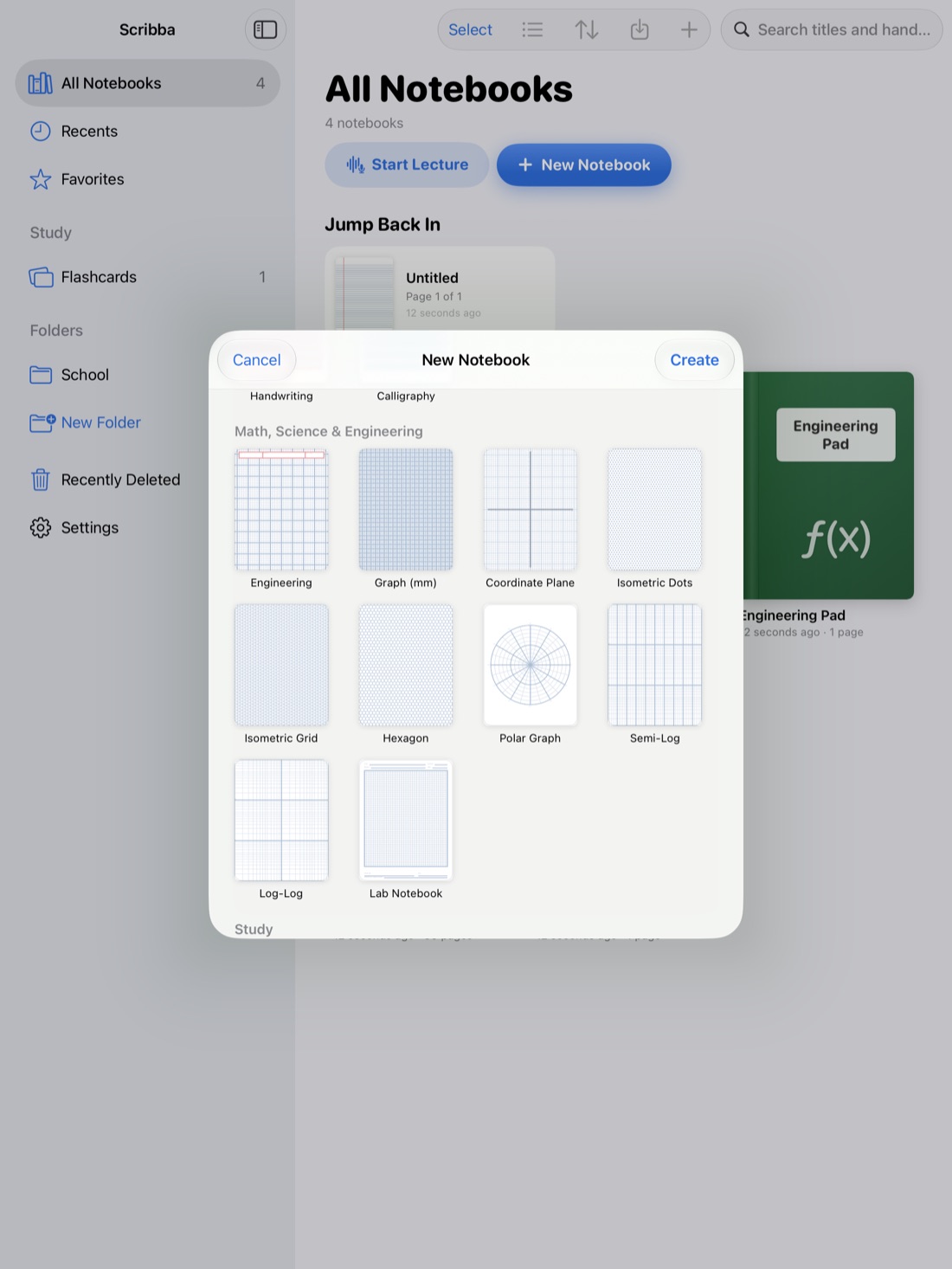
Columns are what make entries readable, so pick paper that keeps numbers lined up. Grid or Engineering paper lets you put each digit in its own square and keeps the debit and credit columns straight down the page. For neat column rules, open the ruler from the + menu in the notebook's top bar. If your numbers get cramped, the Zoom Window lets you write large in a magnified strip while the numbers land small and neat on the page.
Tip: write amounts in one color and account names in another. When you check your work, your eye can run straight down the numbers.
Follow the numbers to the statements
The accounting cycle runs from transaction to journal entry to ledger to trial balance to adjusting entries to financial statements. Exams often give you one stage and ask for the next. Keep one page per chapter that draws the whole flow as boxes and arrows, and mark where the current topic fits.
Spend extra time on adjusting entries: accruals, deferrals, depreciation and supplies used up. They're the entries students forget, because no new cash moves. For each one, write a short example with the "before" T-account, the entry and the "after" T-account.
Then keep a page that shows which accounts land on which statement: revenues and expenses on the income statement, assets, liabilities and equity on the balance sheet, and how net income connects them through retained earnings.
Practice problems on problem set paper
Accounting is learned by doing problems, lots of them. The exercises at the end of each chapter are usually closer to the exam than anything in your lecture notes.
Scribba's Problem Set paper has NAME, COURSE, DUE and ASSIGNMENT fields over a grid split into four numbered problem areas, which suits a page of short journal-entry exercises. For a long comprehensive problem, use plain grid paper across several pages. See problem set paper on iPad.
If your professor posts problems as PDFs, import them into your notebook and work right on them. Their text becomes searchable too, so you can find "prepaid insurance" across every handout. More in annotate lecture slides on iPad.
Scribba doesn't check your arithmetic or solve problems. It's a place to work them clearly and review them later, which is what you need anyway: on the exam it's you and a calculator.
Drill the vocabulary and the rules
Accounting is full of pairs that sound alike but aren't: revenue and cash received, expense and cash paid, accrued and deferred, contra-asset and liability. Keep a vocabulary page per chapter.
Scribba's Vocabulary paper has a TERM column and a DEFINITION / EXAMPLE column. Fill it in, and Scribba reads your handwriting and turns each row into a flashcard. Review and fix any misread words first. This works without Apple Intelligence, and decks come back on a spaced repetition schedule. See flashcards from handwritten notes.
For journal entries themselves, study tape works better than flashcards. Write a list of transactions on the left and their entries on the right, then cover the entries with tape. Read each transaction, say the entry out loud, and tap the tape to check. See study tape on iPad.
Frequently asked questions
What's the best paper for accounting notes?
Grid or Engineering paper for journal entries and T-accounts, since the squares keep columns of numbers aligned. Ruled paper is fine for concept-heavy lectures. You can change the paper of any single page from the page sidebar.
Can Scribba add up my columns or check that an entry balances?
No. Scribba doesn't recognize numbers as math or do calculations. Add the columns yourself, the same way you will on the exam.
Should I take notes by hand if my homework is online?
Yes, at least for practice. Online homework often lets you guess and retry. Working an entry out by hand first makes you decide each debit and credit yourself.