 Scribba
A lecture is full of things you'll be tested on, but it doesn't arrive in flashcard shape. It arrives as an hour of talking: a definition in the middle of a story, an example that makes a concept click, a warning about the exam tucked into the last two minutes. Turning that into a deck by hand means relistening, picking out what matters and writing cards one at a time.
This guide covers what parts of a lecture make good flashcards, how Scribba writes a deck from a lecture with Apple Intelligence, and how to check and study those cards so they actually help.
What in a lecture is worth a card
Not everything your professor says belongs on a flashcard. Before you make a deck, it helps to know what you're looking for.
Good card material:
- Definitions said out loud, especially when the professor's wording differs from the textbook's.
- Cause and effect. "Why did inflation rise?" or "What happens when the membrane potential reaches threshold?"
- Comparisons. Two terms the professor contrasted, like mitosis and meiosis, are exactly what exams test.
- Steps in a process, one card per step or one card asking for the order.
- Anything flagged for the exam. "You'll need to know this" deserves a card, every time.
Poor card material:
- Logistics, like due dates and room changes. Put those in your planner.
- Stories and tangents, unless the story is the example you'll need to explain a concept.
- Long arguments that don't reduce to a short answer. Those are better practiced as a written answer or a sketch on a blank page.
Tip: make your deck the same day as the lecture. You'll still remember what the professor stressed, which helps you judge which cards matter.
Make flashcards from a lecture in Scribba
Scribba is an iPad notebook that records the lecture while you write, then transcribes it. On an iPad that supports Apple Intelligence, with it turned on, running iPadOS 26, Scribba can write a flashcard deck from that lecture. It runs on the iPad itself: nothing is uploaded for it, and there's no per-use cost.
There are three ways to get there.
From a lecture's key points
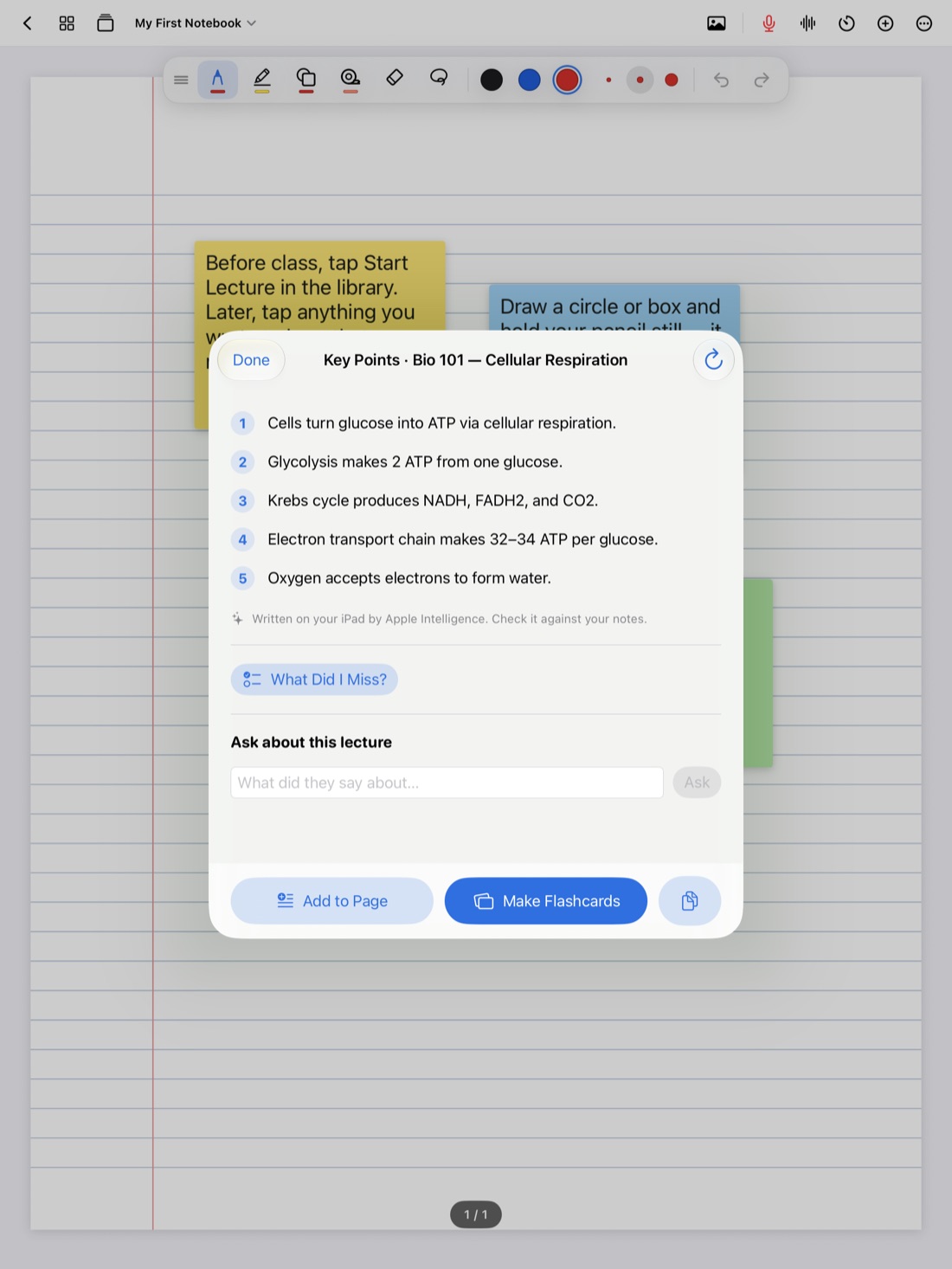
Once a lecture is transcribed, Scribba writes its key points automatically. Under the key points is a Make Flashcards button. Tap it to turn the lecture into a deck.
This is the quickest route, and a good habit: open the key points after class, read them, check them against your notes, and make the deck while you're there.
- Record the lecture in Scribba and take notes as usual. Start Lecture in the library adds a dated page to the class notebook and starts recording in one tap.
- Stop recording when class ends. Scribba transcribes it and writes the key points.
- Open the key points and read them through.
- Tap Make Flashcards.
- Look over the deck before you study it.
From a lecture transcript or any page
You can also make flashcards straight from a lecture transcript, or from any page of notes. That's useful for a dense page of handwritten notes from the textbook, a page of diagrams, or a lecture where you were too busy listening to write much.
From a Study Guide
Before an exam, Scribba's Study Guide gathers the key points of every lecture in a notebook onto one sheet, and can turn them into flashcards. That gives you one deck for the whole unit. See how to make a study guide from lecture notes.
Check the cards before you trust them
Flashcards written by AI are a first draft. They save you the slow part, but they still need your judgment:
- Check each answer against the lecture. If a card surprises you, find that part of the transcript or tap your notes to hear the moment. AI can blur two ideas together or get a detail wrong.
- Watch for missing emphasis. A card set can't always tell that the professor spent ten minutes on one example. If something big is missing, add your own cards.
- Watch for trivia. A card about a passing remark is a card you'll study for nothing.
- Fill gaps with your own cards. For terms you need word for word, write them on a Vocabulary page. Scribba reads your handwriting and turns each row into a card, and that doesn't need Apple Intelligence. More in flashcards from handwritten notes.
Reading the cards critically is itself good review. Deciding whether an answer is right forces you to think about the material.
Study the deck
A deck only helps if you study it the right way.
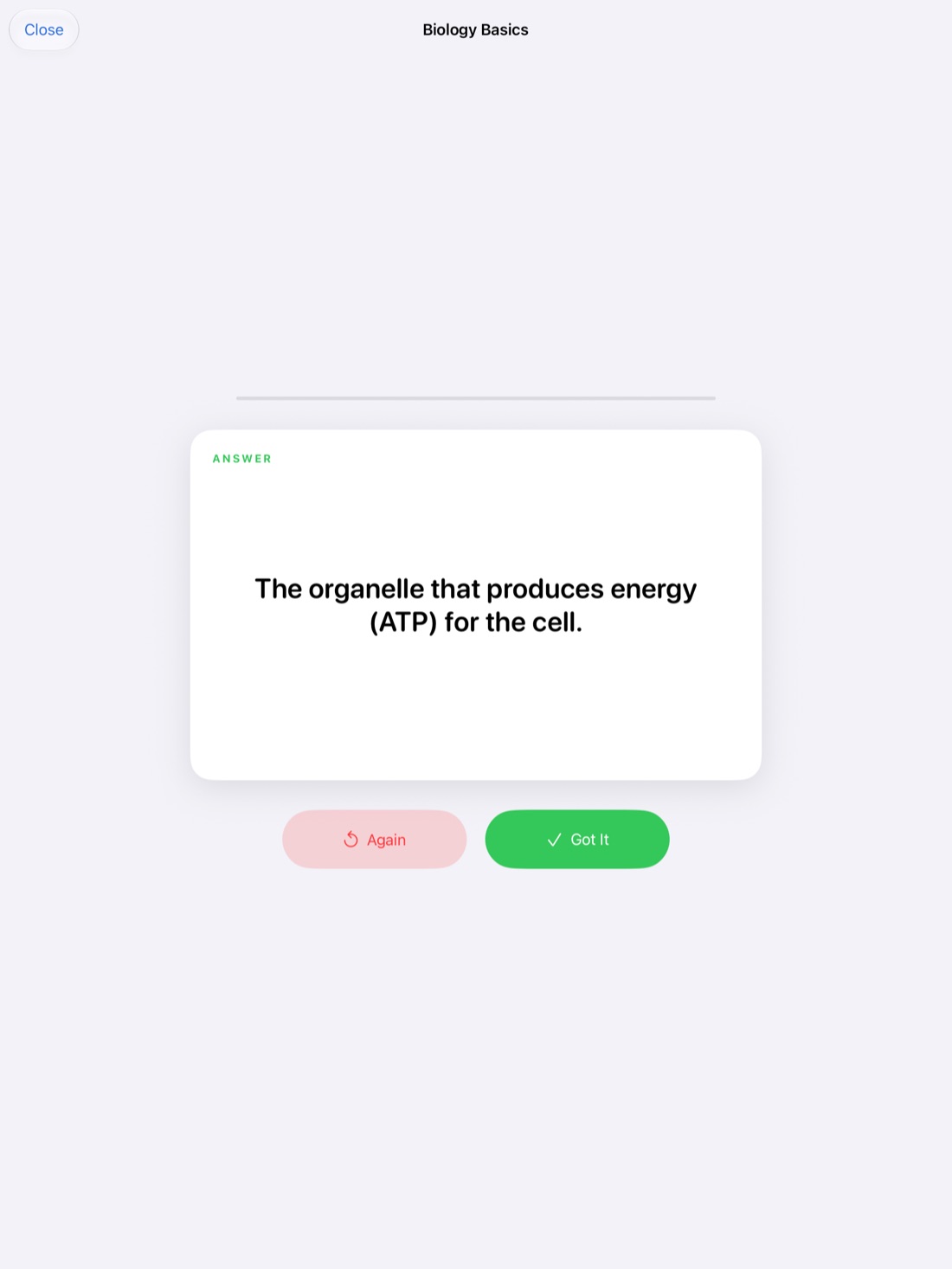
- Answer before you flip. Say or write the answer first. Flipping and nodding along feels like studying, but it's recognition, not recall.
- Grade yourself honestly. In Scribba, you flip each card and grade yourself. A half-remembered answer is a miss.
- Let the schedule do the planning. Scribba uses spaced repetition, so cards come back after 1, 3, 7, 14 and 30 days instead of all at once. You don't have to decide what to review each day.
- Study all due cards at once. If you make a deck after every lecture, you'll soon have many. Study every due card in one session instead of opening each deck. See spaced repetition flashcards.
If you'd like to review on your phone too, export a deck to Quizlet or Anki.
Frequently asked questions
Do I need to record the lecture to make flashcards from it?
To make cards from a lecture, yes: they come from the recording's transcript. Without a recording, you can still make flashcards from any page of your notes.
What if my iPad doesn't support Apple Intelligence?
You can still make flashcards from Vocabulary and Cornell Notes pages, which Scribba reads from your handwriting. Cards from a transcript or any other page need Apple Intelligence.
Can I make flashcards in Spanish?
Yes. Scribba's Apple Intelligence tools work in English and Spanish, and write in the language Scribba shows.
Are the cards accurate?
Usually they're a solid start, but check them. Compare any surprising card with the transcript or the recording before you study it.