 Scribba
Lecture note-taking asks you to do several hard things at once: listen, decide what matters, write it down, and stay with a topic for an hour while your phone, the window and your own thoughts compete for attention. If you have ADHD, you may find that the usual advice ("just pay attention and write down the important parts") skips over the part that's actually hard.
This guide collects practical strategies that many students with ADHD find helpful. It isn't medical advice, and everyone's brain works differently, so treat it as a menu. Try one or two ideas for a week, keep what works and drop the rest. If you haven't already, it's also worth talking to your school's disability or accessibility office, which we'll come back to at the end.
Make fewer decisions before class starts
Every small decision at the start of a lecture is a chance to drift. Which notebook? Which pen? Where did I leave off? By the time you've decided, the professor is three slides in.
Decide once, then stop deciding:
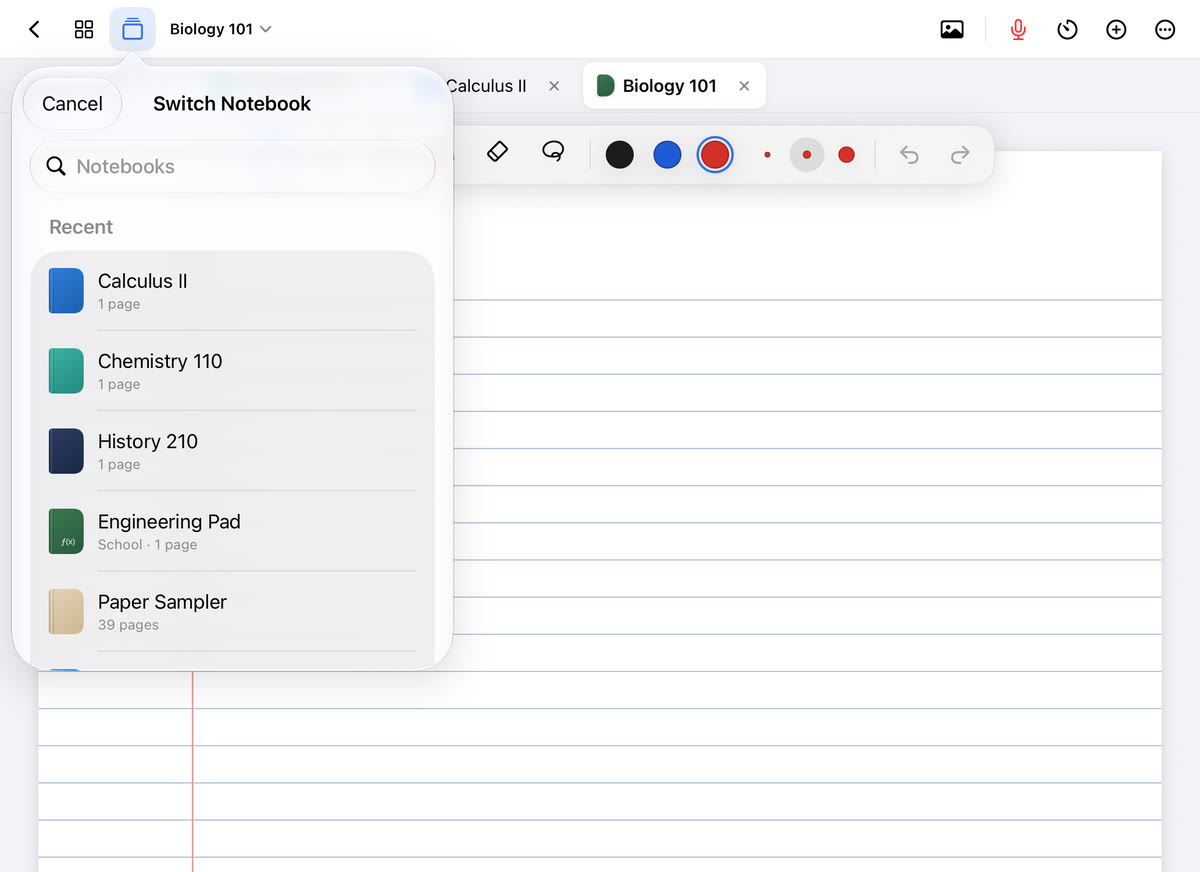
- One notebook per class, always in the same place, with a cover color you can spot instantly.
- One pen and one highlighter for lectures. A big palette is fun, and it's also an invitation to spend ten minutes choosing colors.
- The same page layout every time, so your eyes know where things go.
- A dated page ready to go before the professor starts talking.
Routines like this take willpower out of the first five minutes, which is often when a class is lost.
Let the page give you structure
A blank page asks "what now?" A page with labeled spaces tells you. Templates turn note-taking into filling in boxes, and that can be much easier to start.
- A lecture template with a spot for the topic and a box for takeaways at the bottom gives each class a beginning and an end.
- Cornell notes split the page into notes, a cue column for questions, and a summary. The cue column is a natural place for the stray questions that pop into your head mid-lecture. See Cornell notes on iPad.
- Headings every time the topic changes. Even a single underlined word helps you find your place again after your attention wanders.
Write less and mark more
Trying to capture every word is exhausting, and the moment you fall behind it's tempting to give up entirely. Aim for key words, arrows and short phrases instead.
When you zone out and come back, don't try to reconstruct what you missed. Draw a quick mark in the margin, like a question mark or a star, skip a line, and pick up with whatever is being said now. A gap with a mark next to it is easy to fill later. A half-hour of frantic catching up is not. Abbreviations help too; how to keep up with fast lecturers has a full shorthand system.
Use a recording as a backup, not a replacement
Knowing the lecture is recorded can take a lot of pressure off. You can listen and think instead of racing to write, and the parts you miss aren't gone.
The catch is that a recording only helps if you can find the part you need. An hour-long audio file you never open again isn't much of a safety net. The most useful recordings are ones tied to your notes, so a question mark in the margin leads straight to the right minute.
Always check your school's policy and ask your professor before recording. If recording would help you and a class doesn't allow it, your disability office can tell you whether it can be part of your accommodations. Is it OK to record lectures? covers how to ask.
Review in short bursts with a timer
"Study tonight" is vague and easy to put off. "Fifteen minutes on today's Biology notes" is something you can start. Short, timed blocks give you a clear finish line, and the break is never far away.
- Set a timer for a short block. If 25 minutes feels like too much, try 10 or 15.
- Pick one job: fill the gaps you marked, or write a three-line summary.
- Stop when the timer rings, take a real break, and decide whether to do another round.
Reviewing the same day, even briefly, is easier than facing a week of notes you don't remember writing. How to use a Pomodoro timer for studying explains how to adjust the intervals.
Tip: keep a "parking lot" list at the top of the page or on a sticky note. When an unrelated thought arrives, like an email to send or something to buy, write it there and get back to the lecture.
Make studying active
Rereading notes is easy to do on autopilot, which means your eyes move while your mind wanders. Testing yourself keeps you engaged because there's a question to answer. Cover a definition and say it out loud, turn headings into questions, or use flashcards. Active recall and spaced repetition are well established as ways to remember more, and they also give your brain something to do.
How Scribba can help
Scribba is an iPad notebook for class, and several of its features line up with the strategies above.
- Start Lecture takes care of the setup decisions. One tap from the library adds a dated, bookmarked page to a class notebook and starts recording. You can also say "Start a lecture in Scribba" to Siri.
- Recordings linked to your ink. Every stroke is linked to the moment in the recording, so tapping a question mark you drew in the margin plays what you missed. See how to record a lecture on iPad.
- Templates. The Lecture Notes paper has COURSE, LECTURE #, DATE and TOPIC fields, ruled lines, and a KEY TAKEAWAYS box at the bottom. Cornell Notes paper is there too.
- A focus timer (Pomodoro) that follows you between notebooks, so it keeps running when you switch classes.
- Study tape you drag over answers and tap to peek, which turns any page into a quiz.
- Fewer things on screen. Scribba hides the iPad's status bar by default, so the clock isn't in the corner of your eye. More ideas in how to avoid distractions on your iPad in class.
On iPads that support Apple Intelligence, with it turned on, Scribba can also write a lecture's key points and show what your notes left out with What Did I Miss?, which helps when you know you drifted but aren't sure where.
Talk to your disability office
If ADHD affects how you take notes, your school's disability or accessibility office may be able to arrange support, such as permission to record, copies of slides, a note-taker, or extra time on exams. You don't have to be struggling badly to ask. Note-taking accommodations in college explains what's common and how to request it.
Frequently asked questions
Is it better to type or handwrite notes with ADHD?
It depends on you. Some people stay more engaged with a pen because it keeps their hands busy. Others find typing faster and less tiring. Try each for a couple of weeks of the same class and compare.
What if I zone out for a big part of the lecture?
Mark the spot, rejoin where the lecture is now, and fill the gap afterward from the slides, a classmate, the textbook or a recording if you have permission.
Do I need a diagnosis to use these tips?
No. These are study habits anyone can try. A diagnosis or documentation usually matters only for formal accommodations, and your disability office can tell you what it requires.