 Scribba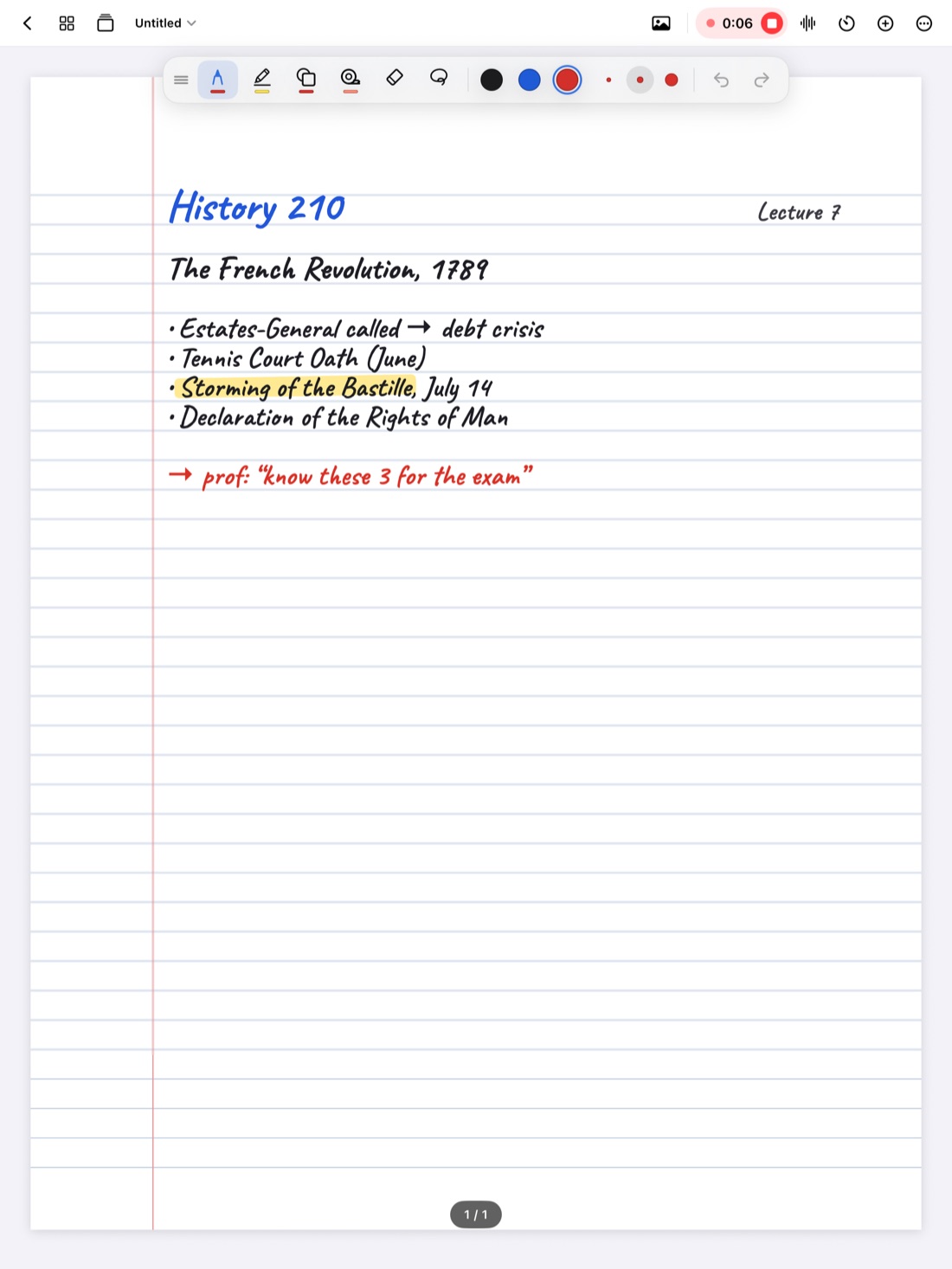
Some professors talk as if the lecture hall is on fire. The slide changes before you've finished the first bullet, the definition you were writing turns into an example, and by the end of the hour your hand hurts and your notes stop halfway through sentences.
You can't make them slow down. You can change how you take notes, so you capture what matters at the speed they talk. Most of this guide works with a pen and paper too. Toward the end, we'll cover how recording in Scribba gives you a safety net for the parts you still miss.
Stop trying to write everything
The biggest change is a mindset one. Your notes don't need to be a transcript of the lecture. They need to be a map you can rebuild it from.
When you try to write every word, you fall behind, and while you're catching up you stop listening. Writing less, but the right things, keeps you in the lecture. Aim for the main ideas, the connections between them, and the details your professor slows down or repeats for.
Build a shorthand
Abbreviations and symbols are the fastest way to write more in less time. Most students already use a few. Make it a system:
- Common words: w/ (with), w/o (without), b/c (because), ∴ (therefore), vs (versus), ex (example), def (definition), imp (important).
- Arrows: → for "leads to" or "causes," ← for "comes from," ↑ and ↓ for increase and decrease.
- Math symbols: = for "is" or "means," ≠ for "is not," ≈ for "about," Δ for "change," + for "and."
- Drop vowels in long words: "gvt" for government, "dvlpmt" for development.
- Subject terms: in Biology, "ATP" and "mito"; in History, initials for long names after the first mention.
Keep a short key on the first page of each class notebook, and add to it as you invent new ones. A shorthand you can't decode two weeks later doesn't help.
Tip: spell out a new term in full the first time you write it, then abbreviate. It makes your notes readable later, and it helps search find the page. See how to search your handwritten notes on iPad.
Write structure, not sentences
Fast lecturers often follow a pattern, even if it doesn't feel like it. If you capture the structure, the details hang off it later.
- Listen for signposts. "There are three reasons..." means three items are coming, so write 1, 2, 3 and leave room. "The key point is..." and "This will be on the exam" are worth a star.
- Use headings for topics. A short heading every time the subject changes turns a wall of notes into sections.
- Indent for detail. Main ideas at the left margin, supporting points indented under them. You can see the outline at a glance.
- Use arrows for cause and effect instead of writing "this leads to."
- Draw it if it's faster. A quick sketch of a graph or a cycle often beats three lines of description.
Leave gaps and mark them
When you lose the thread, don't stop to recover it. Stopping costs you the next point too.
- Leave a gap. Skip a few lines so there's room to fill in later.
- Mark it in the margin. A question mark for "missed this," a star for "important," a tilde for "not sure how this is spelled."
- Pick back up with whatever the professor is saying now.
After class, your margin marks tell you exactly where to look. How to find and fill gaps in your lecture notes covers ways to fill them.
Get ahead before class
The best way to keep up with a fast lecture is to know some of it before you walk in.
- Preview the slides if your professor posts them. Even a two-minute skim tells you what's coming, and you won't waste time copying text that's already written down.
- Write on the slides instead of copying them. You only need to add what the professor says that isn't on the slide. See how to annotate lecture slides on iPad.
- Skim the reading. If you've seen a term once, you'll recognize it in the lecture and won't need to write it out in full.
Make your writing faster
On an iPad, a few settings help you keep pace. Pick one pen and one highlighter and stick with them, since switching tools costs seconds. Gestures help too: in Scribba, a two-finger tap undoes and you can scribble back and forth over writing to erase it, so you don't reach for the eraser. Hold the Pencil still at the end of a stroke to snap a rough circle or arrow into a clean shape. Apple Pencil tips for faster, neater notes covers pen settings and more.
Record as a safety net
Even with good habits, some lectures are too fast. A recording means the parts you missed aren't gone.
In Scribba, tap the mic and take notes as usual. Every stroke you write is linked to that moment in the recording. After class, tap a question mark you drew in the margin and playback starts right where you got lost. The recording keeps going if your iPad's screen locks. See how to record a lecture on iPad.
Scribba also transcribes each recording after class. When you need exact wording, like a definition, a date or a number you only half caught, the transcript has it. You can read along as it plays and tap a line to jump there. Transcription happens after the recording, not live during the lecture.
Ask before you record. Policies vary by school, professor and location, and students with accommodations may be able to record as part of them. Is it OK to record lectures? covers what to check.
Fill it in the same day
Notes from a fast lecture are rough by design. They become good notes when you spend a few minutes on them while the lecture is still fresh: fill the gaps, expand your shorthand where it's unclear, and add a short summary. How to review your notes after class gives a 10-minute routine.
And it's fine to ask. Raising your hand to say "could you repeat that last part?" often helps half the room. Office hours are there for the bits you still can't piece together.
Frequently asked questions
Should I type instead of handwriting in a fast class?
If you type much faster than you write, it can help in lecture-heavy classes. But typing tempts you to copy word for word, and it's awkward for diagrams and equations. Shorthand and structure help either way.
Can I see a live transcript during the lecture?
No. In Scribba, transcription happens after you stop recording. During class, focus on your notes and mark the moments you miss.
What if I can't decode my own shorthand later?
Keep a key at the front of the notebook and review your notes the same day, while you still remember what each abbreviation meant.