 Scribba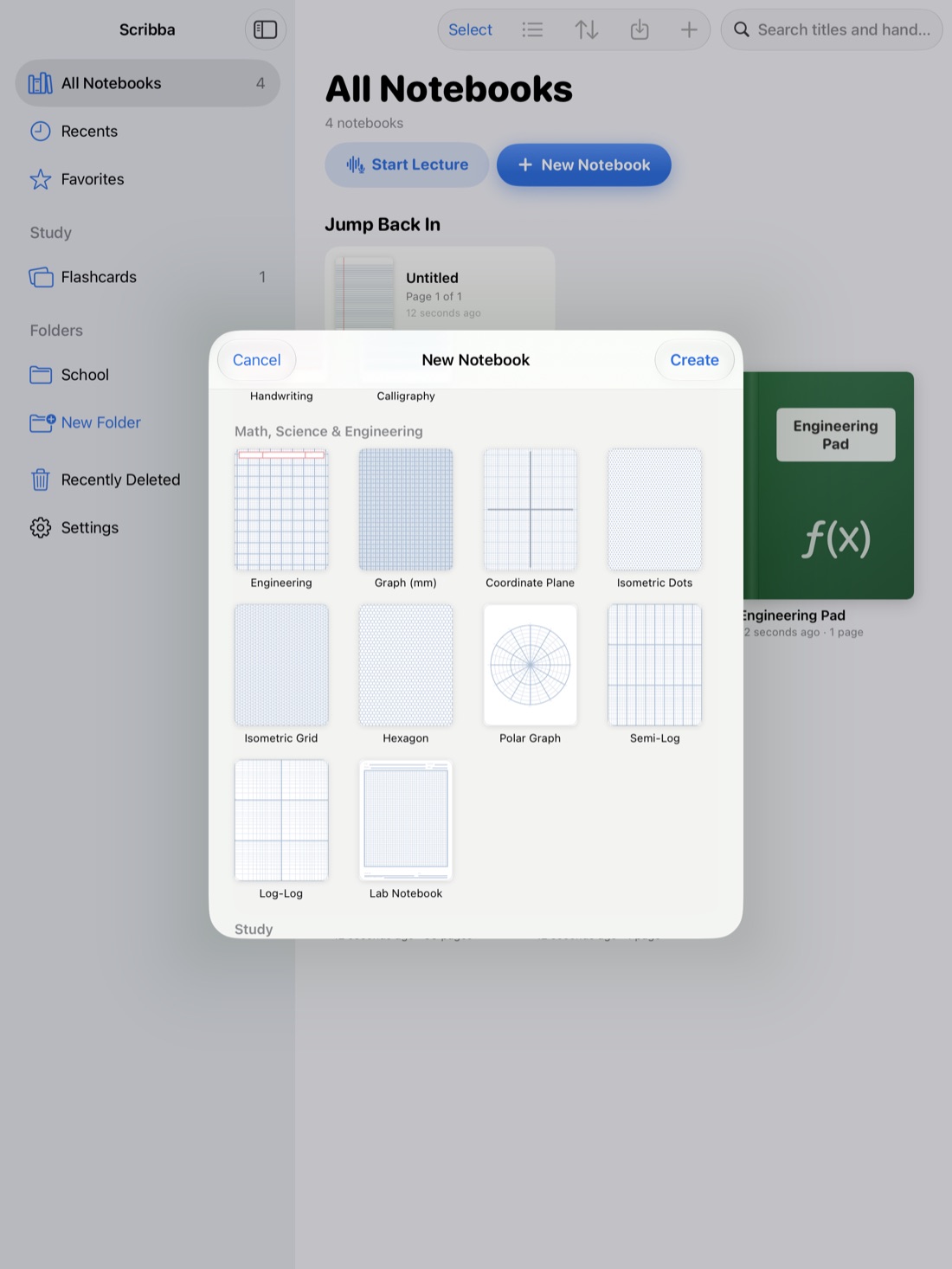
Music theory is one of the few classes where you can't take notes in words alone. A professor plays a progression, writes four voices on the board and points out a parallel fifth. To capture that, you need staff paper, a quick hand for notation and, ideally, a way to hear the example again.
An iPad suits music classes well: you can write notation by hand, switch between staff paper and lined paper on the fly, and keep every handout and score in one place. Here's a practical setup.
One thing to know up front: Scribba is a notebook, not notation software. It doesn't play back what you write, recognize notes or turn handwriting into engraved music. For finished scores and playback, use the notation tools your program recommends. Use Scribba for class notes, analysis and practice.
Use staff paper for notation, lined paper for ideas
Most theory classes switch between talking about music and writing it. Keep both on hand.
- Music staff paper for exercises, dictation, part writing and examples from lecture.
- Guitar tab paper if you play guitar or take a guitar-focused class.
- Ruled or dot grid paper for definitions, rules and lecture notes in words.
In Scribba, music staff and guitar tab are among the 39 paper types. You can change the paper of any page from the page sidebar, so a ruled page of notes can sit right next to a staff page of examples in the same notebook. For long passages and Roman numeral analysis under a full phrase, make the notebook landscape when you create it. For more on paper, see iPad note paper templates.
Write notation by hand, quickly and clearly
Writing notation fast takes practice. A few habits help it stay readable:
- Noteheads first. Get the pitches down as dots, then add stems, beams and accidentals.
- Stems on the correct side. Notes below the middle line usually take stems up; notes above take stems down.
- Accidentals before the note, on the same line or space.
- Barlines straight and complete, so measures are easy to count.
- Analysis below the staff. Roman numerals, figured bass and chord symbols go underneath, lined up with the beat they belong to.
For small details like accidentals, figured bass numbers and ornaments, Scribba's Zoom Window helps. You write large in a magnified strip, and it lands small and neat on the page. In Scribba, holding the Apple Pencil still at the end of a stroke snaps it straight, which is useful for barlines, beams and the long brackets that group a phrase.
Tip: use color for analysis. For example, circle nonchord tones in one color and mark cadences in another. Keep the same scheme all term, and write the key on the first page of your notebook.
Mark up scores and handouts
Theory and history courses come with scores, anthologies and worksheets. Instead of printing them, bring them into your notebook.
In Scribba, import PDFs as a new notebook or into the current one, and write right on them: Roman numerals under the bass, brackets over phrases, arrows to modulations. Scan paper handouts with the camera, or turn a photo into a page. Pull past the last page to add blank paper for your own notes. If you want a score open beside your notes, open a notebook in its own window with Split View.
Record the explanation, linked to your notes
In music, hearing matters as much as seeing. When a professor plays a deceptive cadence and explains why it surprises you, the explanation and the sound go together.
If your professor allows recording, Scribba can link it to your notes. Tap the mic (or press ⌘R) and write as usual. Every stroke you write is linked to that moment in the recording. After class, tap the cadence you circled, and playback jumps to when you wrote it, so you hear the example and the explanation again. During playback, the ink you were writing lights up and the page follows along.
The same works for a rehearsal or a lesson. If a director or teacher explains how to phrase a passage, mark it on your part and record the explanation, so you can hear it again before you practice. Always ask before recording a class, rehearsal or lesson: other musicians and teachers may not want to be recorded, and policies vary. See is it OK to record lectures? and how to record a lecture on iPad.
Scribba transcribes recordings, which helps with the spoken explanation. It won't transcribe the music itself.
Drill intervals and terms with flashcards
A lot of music theory is recognition: intervals, chord qualities, key signatures, scale degrees, Italian tempo and expression terms. That's what flashcards are for.
Some ideas for cards:
- Intervals: write two notes on a staff on the front, and the interval name on the back.
- Key signatures: the signature on the front, the major and relative minor keys on the back.
- Chord qualities and inversions: a chord on the front, its name and figured bass on the back.
- Terms: rubato, sforzando, hemiola on the front, a short definition on the back.
For terms, Scribba's Vocabulary paper is the fastest route. Write one term and its definition per row, and Scribba reads your handwriting and turns each row into a flashcard. Review and fix any misread words, then study. This doesn't need Apple Intelligence. See flashcards from handwritten notes.
For notation, like intervals written on a staff, use study tape instead. Write a row of intervals on staff paper with the names underneath, drag tape over the names, name each one, then tap to peek. See study tape on iPad.
Scribba's flashcard decks use spaced repetition, with cards coming back after 1, 3, 7, 14 and 30 days, and you can export them to Quizlet or Anki.
Practice ear training alongside your notes
Theory on paper and ear training go together. When you study a new interval or chord, sing or play it as you write it. Hearing it while you see it ties the symbol to the sound. Keep a running page of the examples you find hardest, and come back to it each week.
Frequently asked questions
Can Scribba play back the music I write?
No. Scribba doesn't play back notation or recognize music. It's for handwriting notes and notation. Use notation software for playback.
Does Scribba have music staff paper?
Yes. Music staff and guitar tab are both among Scribba's paper types, and you can mix them with ruled pages in the same notebook.
Can I record a rehearsal in Scribba?
Yes. Recording works the same way in a rehearsal as in a lecture, linked to what you write. Ask the director and other performers first.