 Scribba
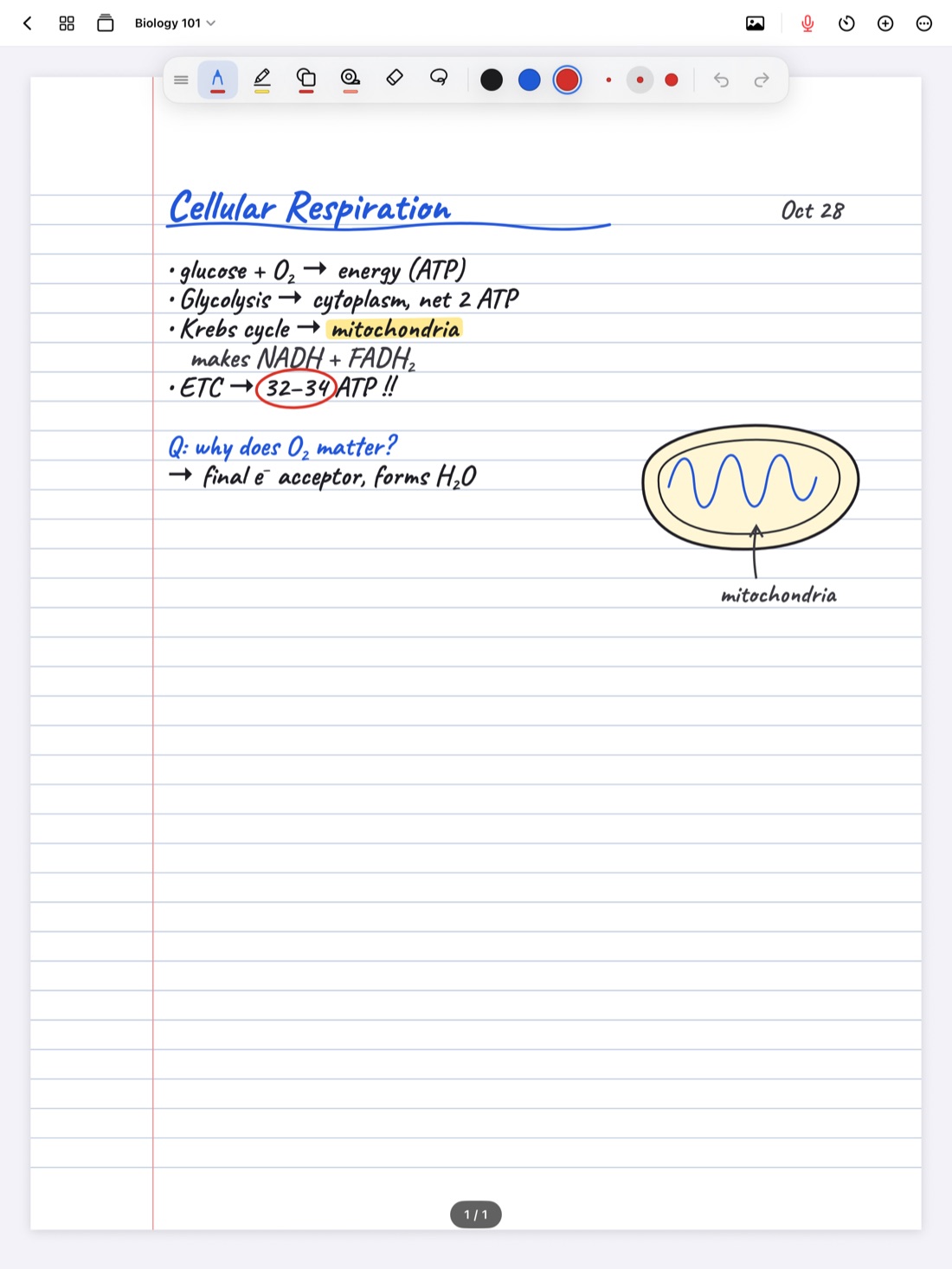
A digital pen is really a set of choices: what kind of line it draws, how thick it is, how it reacts to pressure and how much it smooths out your hand. Get those right and your notes come out faster and easier to read. Get them wrong and even careful handwriting looks shaky.
The good news is you only need to set this up once or twice. This guide explains what each choice changes, which pen styles suit which kinds of notes, and a few setups to start from. It goes deeper than our general Apple Pencil tips, which cover gestures, hand position and screen protectors.
What actually changes between pens
Before choosing a pen, it helps to know what you're choosing between. Four things shape how your writing looks:
- The line style. Some pens draw an even line with crisp edges. Others imitate ink pooling, graphite texture or a brush, so the line changes along each stroke.
- Thickness. The base width of the line. It matters more than people expect, because thin lines stay readable at small sizes and thick lines close up small loops.
- Pressure sensitivity. How much the line thickens when you press harder. It adds character, but also adds variation you didn't intend.
- Stabilization. How much the app smooths out small wobbles. A little cleans up shaky strokes. Too much rounds off corners and small details.
For class notes, the goal is usually consistency: every letter the same weight, so a page is easy to skim. For lettering and journaling, character matters more.
The six pen types in Scribba
Scribba has six pen types: ballpoint, fineliner, fountain, pencil, brush and crayon. Each one is styled after the tool it's named for. To see exactly how they look, open pen settings, where each pen type has a live preview. Here's what each kind of pen tends to suit:
- Ballpoint is the everyday choice. A plain, even line that stays readable when you write fast. A good default for lecture notes.
- Fineliner draws a clean line that works well for small writing, labels on diagrams and math, where you need subscripts and symbols to stay sharp.
- Fountain gives handwriting more personality. It suits slower writing: reading notes, journal pages, headings and handwriting practice.
- Pencil feels closest to sketching on paper. Many students like it for working out problems and rough drafts, and for diagrams they'll refine later.
- Brush is for lettering: headings, title pages and calligraphy practice, where thick and thin strokes are the point.
- Crayon is bold and textured. Use it for things meant to stand out, like a big heading or a quick mark, more than for paragraphs.
Setups for different kinds of notes
There's no single best pen. There's a best pen for the kind of writing you're doing. These are good starting points to adjust from.
Fast lecture notes
Ballpoint or fineliner, a thin to medium width, low pressure sensitivity and a little stabilization. Speed is the priority, and even lines stay readable when you rush. If your fast writing looks blotchy, pressure is usually the cause.
Math, chemistry and physics
Fineliner at a thin width. It always writes an even line, whatever your pressure. Exponents, subscripts and decimal points need to survive at small sizes. The Zoom Window helps here too: see math and chemistry notes on iPad and writing small with the Zoom Window.
Diagrams and sketches
Fineliner or pencil at a medium width. Thick enough that shapes read clearly when you zoom out, thin enough for labels. Pair it with snapped shapes, covered in drawing straight lines and shapes.
Reading notes and journaling
Fountain or pencil, with pressure sensitivity turned up. You write more slowly here, so pressure adds variation you control. This is where pens with character look best.
Headings and lettering
Brush or fountain, with pressure sensitivity up and stabilization low. Stabilization smooths away the small movements lettering depends on, so keep it light. For practice pages, see calligraphy practice on iPad.
Writing with a finger
A slightly thicker width and more stabilization. A wider line hides small shakes, and stabilization evens out a fingertip. Turn on Settings › Draw with Finger in Scribba first.
Setting up pens in Scribba
Double-tap the pen tool to open pen settings. There you'll find the pen types with live previews, plus thickness, pressure sensitivity and stabilization.
Each tool keeps three saved colors and three saved widths. Use the widths as a system, for example thin for notes, medium for diagrams and thick for headings. That way you change the line by tapping a saved width, not by switching pens. Tap the selected color to pick a new one. With a keyboard, ⌘1 to ⌘6 switch tools.
Tip: test a setup the way you'll use it. Write the same sentence at lecture speed with two or three settings, then look at the page zoomed out. Pick the one you can read fastest, not the one that looks nicest up close.
Pick colors that go with your paper
Pen color matters as much as pen type. On white or ivory paper, dark colors are easiest to read for long notes. On Charcoal or Black paper, Scribba's dark papers, switch to light colors and check that your second color still stands out. Our guide to dark paper for studying at night has more on that. On E-Ink Books paper, pens write in e-ink grays.
Keep the count low. One color for notes, one for key terms and one for things to check is enough for most classes.
Don't keep switching
Experiment in the first week, then commit. Changing pens in the middle of a lecture costs time, and a page in one consistent pen is easier to read than one that changes every few lines. Save the other pen types for the pages they suit: lettering for a title page, a pencil for a problem set, a fountain pen for a journal.
Frequently asked questions
What's the best pen type for taking fast notes?
Ballpoint or fineliner, at a thin to medium width with low pressure sensitivity. Both draw an even line that stays readable when you write quickly.
Why do my letters look rounded off?
Stabilization is probably set high. It smooths each stroke when you lift the Pencil, which can soften sharp corners. Turn it down until your letters look crisp.
How many colors and widths can I save?
In Scribba, each tool keeps three saved colors and three saved widths, and you can tap the selected color to choose a new one.