 Scribba
"Open book" sounds like good news. You can bring your notes, so there's less to memorize, so there's less to study. That reasoning is how a lot of students end up in an open-book exam flipping through pages while the clock runs, finding answers too slowly to finish.
Open-book exams are usually written with that in mind. Professors know you'll have your notes, so the questions tend to test application and reasoning rather than facts you could look up. The notes help, but only if you already understand the material and can find what you need in seconds. Preparing for an open-book exam means doing both.
Find out exactly what's allowed
Rules for open-book exams vary a lot, so start here. Ask, or check the syllabus:
- Which materials? The textbook only, your own notes, printed slides, anything?
- Paper or digital? Some in-person exams allow notes but not devices. If your notes live on an iPad, you may need to print them.
- Online or in person? Online open-book exams often have a strict time limit and may restrict other tabs or apps.
- Is collaboration allowed? Almost always no, even when everything else is open.
If anything is unclear, ask before the exam, not during it. And follow the rules you're given. Using a device or material that isn't allowed can count as academic dishonesty even if you didn't mean it to.
Study as if it were closed book
This is the most important step. The book is there to check details: a formula's exact form, a date, a specific example. It's not there to teach you the material during the exam.
So study the way you would for any other test. Quiz yourself on the main ideas, do practice problems, and make sure you can explain each topic without looking. Our guide to the active recall study method covers how. If you understand the material, you'll only need your notes for a few lookups, and you'll have time to think about the hard questions.
Tip: a good test of readiness is to try a practice question without your notes first. If you can outline the answer and only need the book to check a detail, you're in good shape.
Organize for speed
Your notes for an open-book exam are a reference tool. Treat them like one.
- Make a table of contents. A list of topics with page numbers, so you can go straight to what you need.
- Mark the high-value pages. Formulas, key definitions, worked examples, important tables. These are the pages you'll open most.
- Build a summary sheet. One or two pages with the formulas, steps and facts you're most likely to need. It's often faster to check one sheet than to search a whole notebook. Our guide on how to make an exam cheat sheet covers what to put on one.
- Add worked examples. For problem-based classes, an annotated example of each problem type is worth more than pages of theory.
- Cut what you won't use. A thinner set of notes you know well beats a stack you've never organized.
Practice with the clock running
The biggest risk in an open-book exam is time. Practice under the same conditions: same materials, same time limit. You'll learn how long a lookup really takes and which questions you should answer from memory.
When you practice, notice every time you open your notes. If it's for the same topic over and over, that topic needs more study, or a better place on your summary sheet.
On exam day
Answer the questions you can do from memory first. Then go back to the ones that need lookups. Don't start reading your notes for background: that's where time disappears. Look up the specific thing you need, then close the notes and write.
Getting ready for an open-book exam in Scribba
Scribba is an iPad notebook for class. If your notes are in it, here's how to turn them into a fast reference. Check first that the exam allows an iPad. If it doesn't, the last section covers printing.
Bookmarks as a table of contents. In the page sidebar, add named bookmarks to the pages you'll need: "Formulas," "Unit 3 examples," "Key dates." They show as a table of contents for the notebook. If you used Start Lecture all term, every lecture already has a dated bookmark.
Search for anything you wrote. Search finds words in your handwriting, typed text, imported PDFs and lecture transcripts, and results open on the matching page. You can search from the library or inside one notebook, or press ⌘F with a keyboard. The handwriting search guide explains how it works.
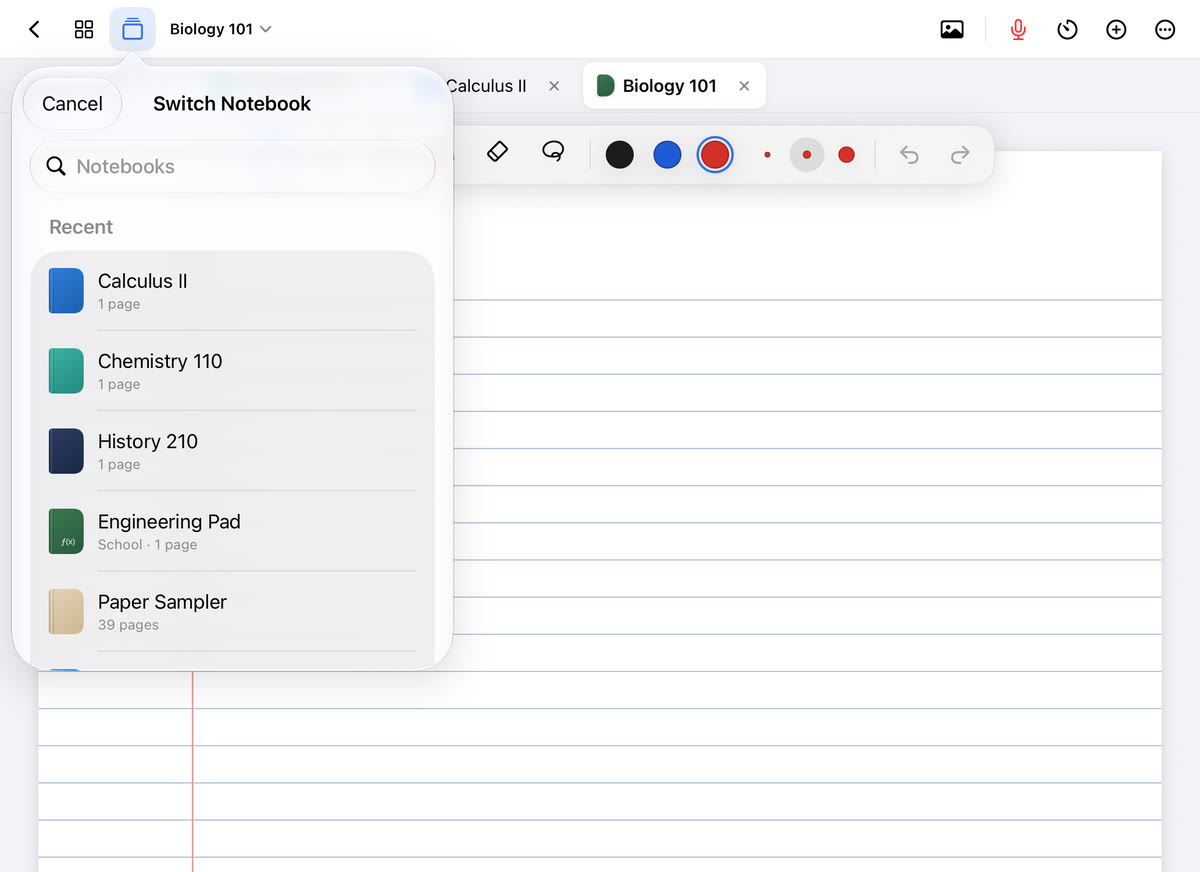
Keep reference notebooks open as tabs. You can keep up to six notebooks open as tabs, for example your class notes, the imported slides and your summary sheet. The quick switcher (⌘O) jumps between favorites and recents. See notebook tabs and the quick switcher.
Notes beside the exam. For an online exam that allows notes, Scribba supports Split View, which opens a notebook in its own window, so your notes can sit beside the exam on screen.
Make a summary sheet. Pull past the last page to add a new one and write your summary there, or start a separate notebook just for it. The Grid or Dot Grid paper suits formulas and tables. If you want a starting draft, on iPads that support Apple Intelligence, with it turned on, Study Guide puts the key points of every lecture in a notebook on one sheet. Use it to check you haven't missed a topic, then write the sheet yourself.
Print it if devices aren't allowed. Export the notebook or just the pages you selected as a PDF, then print. Bookmarked pages and your summary sheet are usually the ones worth printing.
Frequently asked questions
Are open-book exams easier?
Usually not. The questions tend to ask you to apply ideas rather than recall them, and time is tight. They're easier only if you've studied the material as if the book weren't there.
Should I bring all my notes to an open-book exam?
Bring what's allowed, but organize it so you rarely need most of it. A good summary sheet and a table of contents will get you to the right page faster than a full stack.
Can I use my iPad during an open-book exam?
It depends on your professor's rules. Ask in advance. If devices aren't allowed, export your notes as a PDF and print the pages you need.