 Scribba
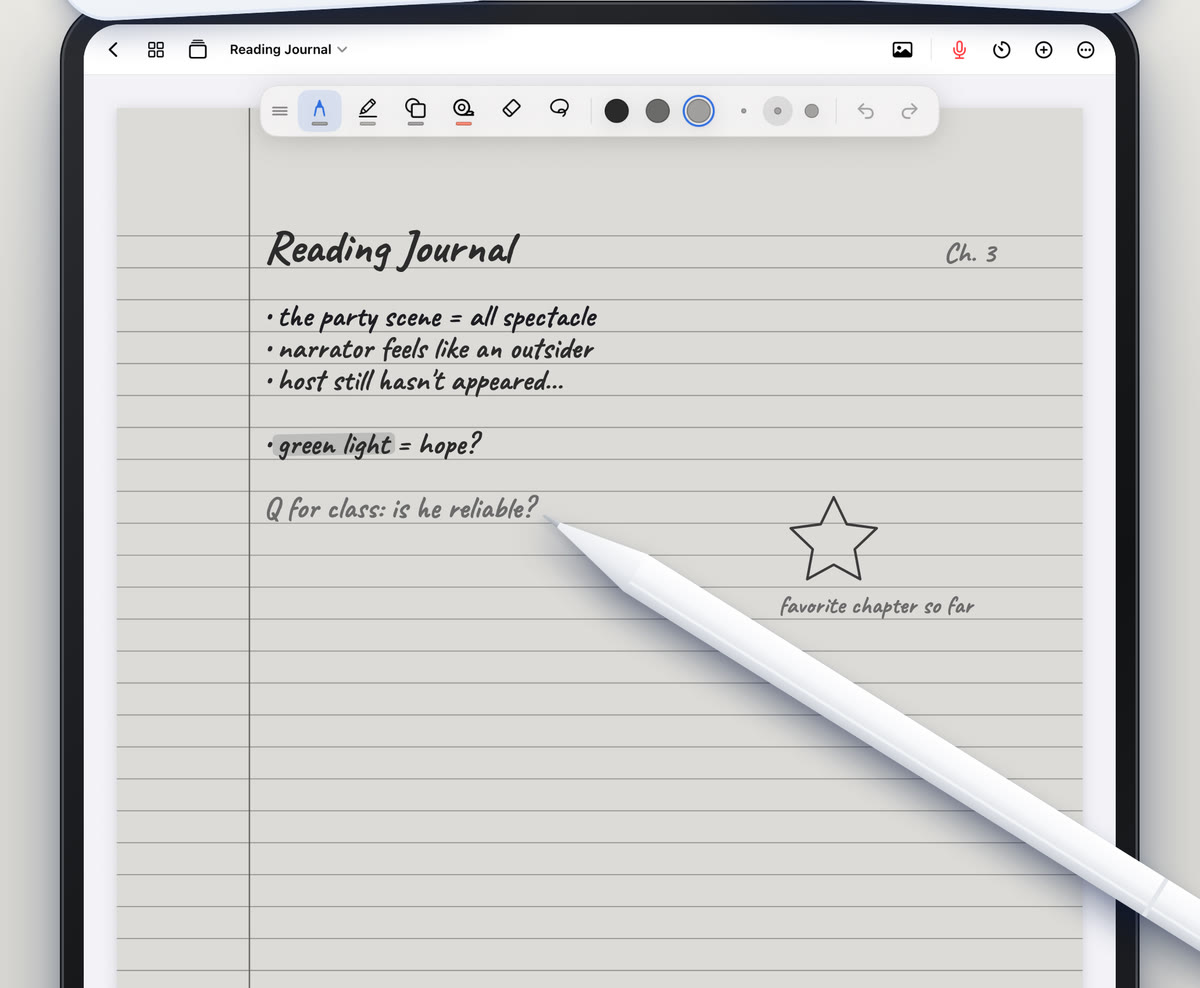
You read the whole chapter. You highlighted half of it. Two days later, in lecture, the professor mentions a term from page 14 and it sounds brand new. That's not a memory problem. It's a method problem: highlighting and copying feel like work, but your brain can do both without really thinking about what the words mean.
Good textbook notes are short, written after you understand a section, and in your own words. This guide gives you a routine for one chapter, start to finish. It works with a paper notebook, and later we'll show how to do it on an iPad in Scribba.
Why copying the book doesn't stick
When you copy a sentence from the textbook, you only have to recognize it. When you explain it in your own words, you have to rebuild the idea, which is the part that makes it stay. Pulling information out of your own head, called active recall, is one of the most reliable ways to remember something. Rereading and highlighting mostly aren't.
So the goal is not a shorter copy of the chapter. It's a set of notes that proves you understood each section, plus the questions you'll test yourself with later.
Step 1: Preview the chapter (5 minutes)
Before you read a single paragraph, get the shape of the chapter:
- Read the title, the introduction and the summary. Textbooks usually tell you up front what the chapter is for.
- Flip through the headings. Write them down as the skeleton of your notes, leaving space under each.
- Look at the bold terms, figures and tables. These are what the authors think matters most.
- Read the end-of-chapter questions. They tell you what you're expected to be able to do.
Then turn each heading into a question. "The structure of the cell membrane" becomes "What is the cell membrane made of, and why does that matter?" Now you're reading to answer something, not just to reach the end. If you like this approach, the SQ3R reading method builds a whole system around it.
Step 2: Read in chunks
Don't read the chapter straight through and then try to take notes. By page 20 you've lost page 3.
Read one section at a time. A section is usually what sits under one heading, often a few pages. For dense material, a single subsection is enough.
- Read the section with your pen down. Don't write while you read. It pulls you into copying.
- Look up when you hit something confusing, and reread that paragraph once. If it still doesn't make sense, mark it with a question mark and move on.
- Close the book, or cover the page.
- Write what the section said, from memory.
- Open the book and check. Fix anything you got wrong and add anything important you left out, in a different color so you can see what you missed.
The parts in the second color are the parts you didn't know yet, so they're the ones to study. In Scribba, you can keep 3 to 6 favorite colors, so switching is one tap.
Step 3: Write it in your own words
Your notes for each section should be short. A few lines to half a page is usually plenty. Aim to capture:
- The main idea in one or two sentences. If you can't say it simply, you don't have it yet.
- Key terms with definitions you wrote yourself. Copy the textbook's wording only when the exact phrasing matters, like a formal definition you'll be graded on.
- One example. The book's example, or better, one of your own.
- How it connects to the previous section or to last week's lecture. An arrow and three words is enough.
- Your questions. Anything that still doesn't make sense goes in the margin, to ask in class or office hours.
Redraw the figures
Textbook diagrams carry a lot of information. Don't trace them. Draw a simpler version from memory and label it, then compare with the original. Pairing words with a picture you made yourself is a strong way to remember both.
Step 4: Pick a layout
Any layout works if you follow the steps above. Two are especially good for textbook chapters:
- Cornell notes. Notes on the right, questions in a narrow column on the left, a summary at the bottom. The cue column becomes your self-test. See how to take Cornell notes on iPad.
- A vocabulary table for term-heavy chapters, like intro biology, psychology or a language class: term on one side, your definition and an example on the other.
Step 5: Finish with a chapter summary
When you've worked through every section, write a summary of the whole chapter in five sentences or less, without looking. Then answer two or three of the end-of-chapter questions. If one stumps you, you've found exactly what to review.
Before the next lecture on this topic, spend two minutes rereading your summary. You'll walk in recognizing the terms instead of meeting them for the first time.
Doing it on iPad with Scribba
The method above is the same on an iPad. A few things make it easier:
- Keep reading notes in the class notebook. Add a page for each chapter and give it a named bookmark in the page sidebar, like "Ch. 4 reading." Bookmarks act as the notebook's table of contents, so readings and lectures sit side by side.
- Write on the PDF if your textbook is one. Import a PDF as a new notebook or into the current one, write in the margins, and search its text later. Pull past the last page to add blank paper for longer notes. Open a notebook in its own window with Split View if you want the chapter on one side and your notes on the other.
- Scan a figure from a printed book. Use the camera to scan a page, or turn a photo into a page, so you can label a diagram without redrawing the whole thing. See how to scan handouts with your iPad.
- Use Cornell Notes or Vocabulary paper. Change any page's paper from the page sidebar. Cornell Notes has a CUES & QUESTIONS column, a NOTES column and a SUMMARY box. Vocabulary has a TERM column and a DEFINITION / EXAMPLE column.
- Turn the notes into flashcards. Scribba reads your handwriting on Vocabulary and Cornell Notes pages and makes a card from each row or cue, so your terms come back on a spaced repetition schedule. This doesn't need Apple Intelligence. On iPads that support Apple Intelligence, with it turned on, you can also make flashcards from any page. More in flashcards from handwritten notes.
- Try E-Ink paper for long sessions. Soft gray e-ink paper is easier on the eyes than bright white during an evening of reading. See E-Ink paper on iPad.
Frequently asked questions
Should I read the chapter before or after the lecture?
Before, if you can, even if it's only the preview step. Knowing the headings and bold terms makes the lecture much easier to follow. Then fill in your reading notes after class with anything the professor emphasized.
How long should textbook notes be?
Much shorter than the chapter. A few lines to half a page per section is typical. If your notes are nearly as long as the book, you're copying instead of summarizing.
Is highlighting useless?
Not useless, but it's not studying on its own. If you highlight, keep it light, and use the highlights to decide what goes in your notes rather than as the notes themselves.